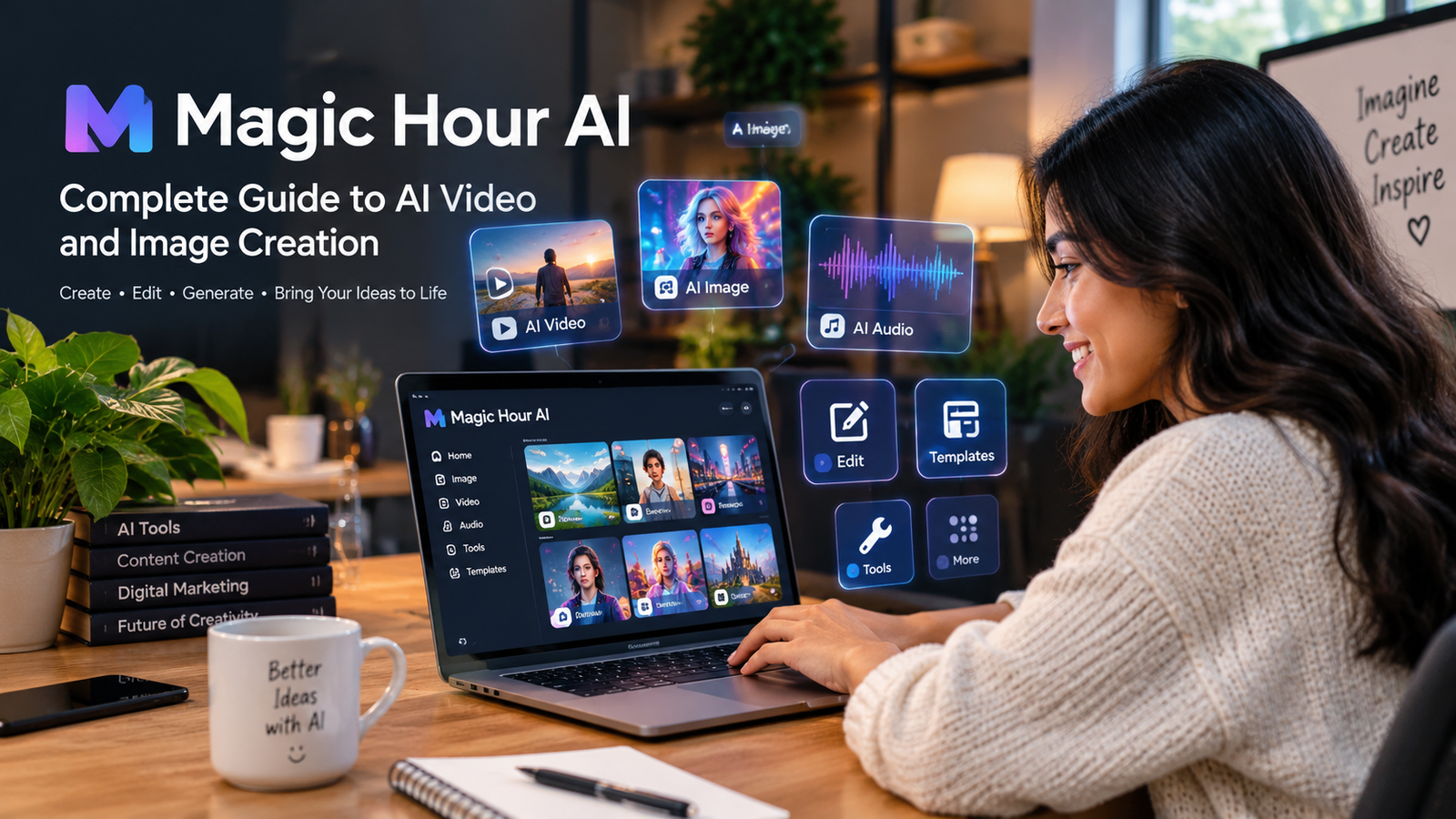

Artificial intelligence is changing the way people create digital content. In the past, making a professional video, editing an image, creating an animation, or producing a voiceover often required expensive software and advanced technical skills. Today, AI-powered creative platforms are making many of these tasks easier, faster, and more accessible. One platform that brings many of these capabilities together is Magic Hour AI.
Magic Hour AI is a browser-based creative platform designed for generating and editing videos, images, and audio with artificial intelligence. Instead of requiring users to move between many different applications, Magic Hour AI brings a large collection of creative tools into one environment. Its platform currently includes more than 100 tools and models covering areas such as text-to-video, image-to-video, AI image generation, face swapping, lip syncing, talking photos, image editing, audio generation, and other creative workflows.
The idea behind Magic Hour AI is simple. Users can start with text, an image, a video, or audio and use AI to transform that material into something new. This makes the platform useful for content creators, marketers, designers, social media users, businesses, educators, and anyone interested in experimenting with generative AI.
What Is Magic Hour AI?
Magic Hour AI is an online artificial intelligence creative studio that allows users to create, modify, and enhance digital media through AI-powered tools. Because it works through a web browser, users do not necessarily need traditional video-editing or image-editing software installed on their computers.
The platform combines AI video generation, AI image creation, editing tools, audio features, templates, and production workflows. Users can select a tool according to the type of content they already have and the result they want to create.
For example, someone starting with a written idea can use text-to-video or an AI image generator. Someone with a photograph can use image-to-video, image editing, face swapping, or other image-based tools. A video can be transformed through video-to-video tools, lip sync, face swap, or AI video editing. Audio can also become part of creative workflows through tools such as voice generation, voice cloning, music generation, and audio-to-video features.
This broad approach is one of the main reasons Magic Hour AI has attracted attention in the growing AI content creation market.
Why Is Magic Hour AI Becoming Popular?
The popularity of AI creative tools is connected to a simple problem. People want to produce more content, but traditional production can take a lot of time. A creator may need to write a script, create visuals, record audio, edit a video, add subtitles, adjust colors, and prepare different versions for different social media platforms.
Magic Hour AI attempts to simplify this process by bringing many of these tasks into a single platform. Instead of using one application for images, another application for video, another tool for voice generation, and another service for specialized effects, users can access many creative functions from the same ecosystem.
The platform also supports both simple experiments and more advanced workflows. Beginners can start with straightforward prompts, while experienced creators can explore different models, settings, references, and editing options.
Magic Hour AI also allows users to try selected tools before committing to a paid plan. Its official FAQ states that selected public tools can be tried without an account or credit card, while free accounts can receive signup credits and additional limited rewards.
Magic Hour AI for Video Creation
AI video generation is one of the most important parts of Magic Hour AI. The platform provides several ways to create and transform videos, including text-to-video, image-to-video, video-to-video, animation, lip sync, talking photos, face swap, AI video editing, video upscaling, and other video-focused tools.
Text-to-video allows a user to describe a scene using natural language and have an AI model generate a video based on that description. For example, a creator might describe a cinematic city street at night, a person walking through a forest, or a product advertisement with a specific camera movement.
Image-to-video works differently because the user starts with a still image. AI can then animate that image and introduce movement based on the selected prompt and model. This can be particularly useful for creators who already have artwork, product photographs, character designs, or other visual assets.
Magic Hour AI also supports video-to-video workflows. These can be useful when someone wants to transform the visual style of an existing video while keeping elements of the original movement or composition.
The official platform currently provides access to multiple video models, with different models designed for different creative needs. Its model library includes options such as Kling, Seedance, Veo, LTX, Wan, and other models, although availability and requirements can vary by plan and tool.
Magic Hour AI Text-to-Video
Text-to-video is one of the easiest ways to understand how generative video works. Instead of manually creating every frame, the user provides a description and the AI attempts to produce a corresponding video.
Good prompts are important. Magic Hour AI’s own guidance recommends describing the subject, action, setting, camera or composition, and lighting or style. Clear prompts generally make it easier for the model to understand what the creator wants.
For example, a weak prompt might simply say that a person is walking. A more useful prompt could describe a young traveler walking through a historic European street at sunset, with a slow cinematic camera movement and warm natural lighting.
The second prompt provides more useful information about the scene, movement, environment, and visual style.
However, AI generation is not perfect. Even a detailed prompt does not guarantee that every face, object, movement, or piece of text will appear exactly as requested. Creators should review the generated output and make adjustments when necessary.
Magic Hour AI Image Generation
Images are another major part of the platform. Magic Hour AI provides an AI image generator that can create visuals from text prompts and can also work with image references.
The image generation workflow can be useful for social media graphics, concept art, advertisements, product visuals, thumbnails, character concepts, illustrations, and creative experiments.
One useful feature is the ability to compare different outputs. According to the official image generator information, Magic Hour AI supports multiple AI image models and allows users to generate multiple images so they can compare results and select the most suitable version.
The platform also supports image-to-image workflows, meaning users can start with an existing picture and use AI to guide the creation or transformation of another image.
Reference images can be particularly useful when consistency matters. A creator may want to maintain a similar character, visual identity, composition, or artistic direction across multiple images.
Magic Hour AI also provides image editing features that allow creators to continue refining generated images instead of starting from the beginning every time.
AI Image Editing With Magic Hour AI
Generating an image is only one part of the creative process. In many projects, the first result is not perfect. A creator may want to remove an object, change the background, modify clothing, adjust a face, expand the image, improve quality, or make other changes.
Magic Hour AI includes several tools designed for these tasks. Its image tool collection includes AI image editing, generative fill, background removal, image upscaling, clothes changing, head swapping, body swapping, face editing, image expansion, photo colorization, and other functions.
This makes the platform more than a simple image generator. It can be used as part of a broader image production workflow.
For example, a creator could generate an initial product image, remove the background, modify the composition, expand the image for a different aspect ratio, and then use the final image as a reference for video generation.
Face Swap and Character Creation
Face swapping is another well-known AI application available through Magic Hour AI. Users can work with photographs and videos to replace faces within supported workflows.
Face swap technology can be used for entertainment, creative projects, demonstrations, storytelling, and visual experimentation. However, responsible use is important. Users should have appropriate rights or permission when working with another person’s face or identity.
Magic Hour AI also provides tools related to characters and consistent visual creation. Character consistency is important for creators who are building stories, advertisements, social media series, or fictional worlds.
Instead of generating a completely different character every time, creators can use references and supported workflows to help maintain a recognizable visual identity.
Talking Photos and Lip Sync
Magic Hour AI also includes tools that can make still images feel more dynamic. Talking photo technology can animate a person’s image so it appears to speak, while lip sync tools can synchronize mouth movements with audio.
These features can be useful for presentations, educational content, character storytelling, marketing experiments, and social media videos.
A creator could start with a suitable portrait and then combine it with generated or recorded audio. The resulting media can provide a more engaging presentation than a completely static image.
At the same time, users should be careful when creating content involving real people. AI-generated speech and face animation can be misleading if viewers are not aware that the content is synthetic or manipulated. Responsible disclosure is especially important for public-facing content.
Magic Hour AI Audio Tools
AI content creation is not limited to visuals. Audio plays an important role in modern video production, and Magic Hour AI includes several audio-related tools.
The platform’s current toolset includes voice generation, voice cloning, AI music generation, voice changing, video-to-audio, audio translation, and sound-effect generation.
AI voice generation can help creators produce narration without recording their own voice. This can be useful for explainer videos, educational projects, product presentations, short-form content, and other media.
AI music generation can also help creators experiment with background music. Instead of searching through large music libraries, a user can generate music according to a desired style or creative direction.
Voice cloning is more sensitive because it can reproduce characteristics of a person’s voice. Users should only clone voices when they have the appropriate permission and legal rights to do so.
Magic Hour AI for Social Media Content
Social media creators often need a large amount of visual content. A single campaign may require videos for TikTok, Instagram Reels, YouTube Shorts, advertisements, thumbnails, and other platforms.
Magic Hour AI can help streamline this process because many of its tools support different aspect ratios and creative workflows. Its video generator supports common formats such as 16:9, 9:16, and 1:1, making it easier to prepare content for different platforms.
A creator can generate an initial idea, create an image, animate it, add audio, edit the result, and prepare the final content for social media.
This workflow can be especially useful for creators who need to experiment quickly. Instead of spending hours building every visual manually, AI can provide a starting point that the creator can refine.
Magic Hour AI for Marketing
Marketing teams can also use AI creative platforms to produce advertising concepts and campaign assets.
A company may need product images, short advertisements, social media videos, promotional graphics, voiceovers, and variations of the same campaign. Creating every version manually can require significant time.
Magic Hour AI provides tools for AI UGC ads, image generation, video generation, editing, avatars, templates, and other production tasks. Its platform is designed to support both individual creation and larger campaign workflows.
For marketers, one important advantage is experimentation. AI can help produce multiple creative concepts quickly, allowing a team to compare ideas before investing heavily in traditional production.
However, marketers should still review every AI-generated asset carefully. Brand guidelines, factual accuracy, copyright, likeness rights, and advertising rules remain important.
Magic Hour AI for Beginners
One of the strongest aspects of Magic Hour AI is that beginners can experiment without needing advanced editing knowledge.
Traditional video software can be intimidating because it may contain timelines, layers, keyframes, color controls, effects, transitions, and many other technical settings.
AI tools can reduce this complexity by allowing users to describe what they want in natural language.
For a beginner, the best approach is to start with a simple idea. Instead of writing an extremely complicated prompt, it is often better to describe one clear subject, one action, the environment, and the desired visual style.
Once the first result is generated, the user can improve the prompt or change settings.
This process teaches beginners how generative AI responds to different instructions while also helping them understand the basics of visual storytelling.
Magic Hour AI Prompt Writing
Prompt quality has a direct impact on AI-generated content. A good prompt does not need to be extremely long. It needs to communicate the important parts of the desired result clearly.
A useful structure can include the main subject, what the subject is doing, where the action is happening, how the camera should behave, and what kind of lighting or visual style is desired.
For example, instead of writing a long paragraph containing unrelated keywords, a creator can say that a futuristic motorcycle is traveling through a rainy city at night, with cinematic camera movement, realistic reflections, soft neon lighting, and a wide-angle composition.
Clear instructions help reduce confusion.
Magic Hour AI’s official help documentation also recommends short, concrete instructions and warns that prompts cannot guarantee exact text, facial identity, physical motion, or every requested detail.
Magic Hour AI Templates
Templates can make content creation faster because users do not always need to begin with a blank project.
Magic Hour AI currently promotes a large template library designed around different creative and social content needs. The official platform describes more than 10,000 templates that can help creators start projects more quickly.
Templates can be particularly useful for people who know what type of content they want but are not sure how to structure the creative project.
A template can provide a starting point, after which the creator can customize the content according to the project.
Magic Hour AI API
Magic Hour AI is not limited to manual browser-based creation. The platform also provides API access for developers and businesses.
According to the official website, its API allows developers to generate AI videos and images from text or media through a REST API, with SDK support for programming languages including Python, Node, Go, and Rust.
This can be valuable for businesses that want to integrate AI media generation into their own applications or automated workflows.
For example, a company could potentially create a system where users upload an image and the application automatically sends it through an AI generation workflow.
Developers can therefore use Magic Hour AI not only as a creative website but also as part of a larger software system.
Magic Hour AI Pricing and Credits
Magic Hour AI uses a credit-based system for many of its creative tools. The amount of credits required depends on the tool, model, duration, resolution, and other settings.
The official pricing page currently lists Creator, Pro, and Business plans, along with one-time credit packs. The displayed annual-equivalent pricing includes Creator at $12 per month when billed annually, Pro at $25 per month when billed annually, and Business at $66 per month when billed annually. The plans provide different credit amounts, output resolutions, concurrent generations, upload limits, and other features.
The exact cost of a generation can vary because different AI models require different amounts of computing resources.
Magic Hour AI shows estimated credit costs before generation for supported workflows, which helps users understand how many credits a particular task may require.
Users should always check the current pricing page before purchasing because plans, model availability, limits, and prices can change over time.
Is Magic Hour AI Free?
Magic Hour AI offers free ways to try selected tools, but it is not accurate to describe the entire platform as completely unlimited and free.
The official FAQ explains that selected public tools can be tried without an account or credit card, while free accounts can receive signup credits and limited daily rewards. Free generation limits also apply to certain video and audio workflows.
For users who only want to experiment, the free options can be useful.
For people creating content regularly, paid plans may be more suitable because they provide additional credits, higher output options, commercial-use rights, priority queues, and other benefits depending on the plan.
Is Magic Hour AI Good for Professional Work?
Magic Hour AI can be useful for professional creative work, especially when the goal is to speed up ideation, production, experimentation, and content variation.
Professional users can benefit from higher limits, commercial-use options, larger uploads, priority processing, higher resolutions, API access, and access to a wider range of tools and models depending on their plan.
However, AI should not automatically replace professional judgment.
A professional workflow still requires human review. Generated videos may contain strange movements, inaccurate details, visual inconsistencies, or unwanted artifacts. Generated images can also contain errors in hands, faces, objects, text, or proportions.
The strongest approach is often to use AI as a creative assistant rather than assuming that every generation is ready for publication.
Privacy and Content Considerations
Privacy is an important issue when using any AI creative platform.
Magic Hour AI states that user projects are not public to other users and that it does not use prompts, uploads, or generated outputs to train AI models. The company also explains that automated systems and contracted service providers may process content to provide, secure, and support the service.
Users should still read the current privacy policy and terms before uploading sensitive material.
It is also important to avoid uploading content that the user does not have permission to process. This is especially relevant for photographs, copyrighted media, private documents, personal information, and images of other people.
AI technology makes content creation easier, but responsible use remains the responsibility of the creator.
Commercial Use of Magic Hour AI
Commercial rights are an important consideration for businesses and professional creators.
Magic Hour AI’s current FAQ explains that customers with a paid subscription, credit-pack purchase, or certain paid usage arrangements may use generated videos commercially, subject to the applicable terms and content rights. Free users are limited to personal, non-commercial use for generated videos under the stated policy.
This distinction matters for anyone planning to use AI-generated content in advertisements, client projects, websites, paid social media campaigns, product promotions, or other commercial activities.
Users should always verify the latest terms before using generated material commercially because legal rights can vary depending on the content, source material, jurisdiction, and applicable law.
Advantages of Magic Hour AI
One major advantage of Magic Hour AI is its broad collection of creative tools. Instead of focusing on only one AI function, the platform combines video, image, audio, editing, and related workflows.
Another advantage is accessibility. Since the platform works through a browser, users can begin experimenting without installing a large professional editing suite.
The variety of AI models is also useful. Different models can produce different visual styles, levels of realism, motion quality, and prompt interpretation. Having multiple models available gives creators more flexibility.
Another important advantage is workflow integration. A user can generate an image and then use it as part of a video workflow rather than constantly moving files between unrelated applications.
The platform also offers API access, which can make it more useful for developers and businesses that want to automate creative processes.
Limitations of Magic Hour AI
Despite its many features, Magic Hour AI is not perfect.
AI-generated content can contain errors. A video might produce unnatural movement, inconsistent objects, strange facial expressions, or other artifacts. An image might have incorrect text or details that do not match the prompt.
Another limitation is that advanced features consume credits. High-quality video generation can require significantly more computing resources than a simple image, meaning users who create large volumes of content may need a paid plan or additional credit packs.
Results can also vary between AI models. One model may be excellent for cinematic motion while another may be better for image quality or reference control.
This means creators may need to experiment with several models before finding the best option for a particular project.
Magic Hour AI vs Traditional Creative Software
Traditional creative software gives users detailed manual control. Professional editors can control every frame, layer, transition, effect, sound level, color adjustment, and other production element.
Magic Hour AI takes a different approach.
Instead of manually creating everything, users describe what they want and allow artificial intelligence to perform much of the creative generation.
This makes AI platforms particularly attractive for rapid experimentation.
Traditional software is still extremely valuable when precise control is required. In many professional workflows, the best combination may be AI generation followed by traditional editing.
A creator can use Magic Hour AI to produce ideas, visuals, characters, animations, or draft videos and then use other editing tools to polish the final result.
Who Should Use Magic Hour AI?
Magic Hour AI can be useful for many different types of users.
Content creators can use it to produce social media videos, images, animations, and other digital assets.
Small businesses can use AI tools to experiment with advertisements, product visuals, promotional content, and social media campaigns.
Designers can use image generation and editing tools for concept development and visual exploration.
Video creators can use text-to-video, image-to-video, lip sync, face swap, and editing workflows.
Developers can use the API to integrate AI media generation into applications and automated systems.
Beginners can use the platform to learn about AI content creation without immediately needing advanced professional software.
How to Get Better Results With Magic Hour AI
Getting good results from Magic Hour AI requires experimentation.
Start with a clear creative goal. Decide whether the goal is an image, short video, animated portrait, advertisement, social media clip, or another type of content.
Use a focused prompt that describes the most important details. Avoid adding many unrelated instructions.
Choose the aspect ratio based on where the content will be published. A vertical format can work well for short-form social media, while a landscape format can be more appropriate for YouTube or presentations.
When using reference images, choose clear images that show the important characteristics you want the AI to understand.
Generate multiple variations when possible. AI generation is not always predictable, and one result may be significantly better than another.
Finally, review the result carefully before publishing it.
The Future of Magic Hour AI
The future of AI content creation is likely to involve increasingly connected workflows.
Instead of using AI only to generate a single image or short clip, creators will be able to build complete production pipelines where scripts, images, videos, voices, music, editing, translation, and publishing are connected.
Magic Hour AI is already moving toward this broader creative-studio model by combining video, image, audio, editing, templates, models, and API functionality in one ecosystem.
As AI models become more capable, the quality of generated content is expected to improve. Better character consistency, more realistic motion, stronger prompt understanding, improved audio, and better editing controls could make AI workflows increasingly useful for professional production.
However, human creativity will remain important. AI can generate possibilities, but people still decide what story to tell, what message to communicate, what brand identity to maintain, and what final result is worth publishing.
Final Thoughts on Magic Hour AI
Magic Hour AI represents the growing movement toward all-in-one AI creative platforms. Instead of treating image generation, video creation, editing, audio production, and automation as completely separate tasks, the platform brings many of them together.
Its large collection of AI tools makes it possible to experiment with text-to-video, image-to-video, AI images, face swaps, talking photos, lip sync, audio generation, image editing, video editing, and other creative workflows.
For beginners, Magic Hour AI can provide an approachable way to explore artificial intelligence. For creators, it can help speed up production and generate new ideas. For businesses, its commercial plans and API capabilities can support larger creative workflows.
At the same time, users should understand the limitations of AI-generated content. Not every result will be perfect, and professional-quality work may require multiple generations and human editing.
The best way to use Magic Hour AI is to treat it as a powerful creative assistant. With clear prompts, good source material, careful model selection, and human review, it can become a useful part of a modern digital content workflow.
As artificial intelligence continues to develop, platforms such as Magic Hour AI are helping make advanced creative technology more accessible to everyday users. Whether someone wants to create a simple social media clip, generate an image, experiment with AI animation, develop marketing content, or build an automated media workflow, Magic Hour AI offers a broad set of tools for exploring what modern generative AI can do.
Read More About : nomi