
Artificial intelligence has changed the way people create digital content. In the past, making a professional video, editing a photo, creating an avatar, or producing marketing content usually required expensive software, technical skills, and a lot of time. Today, AI-powered creative platforms are making these tasks much easier. One platform that has attracted attention in this space is Akool AI.
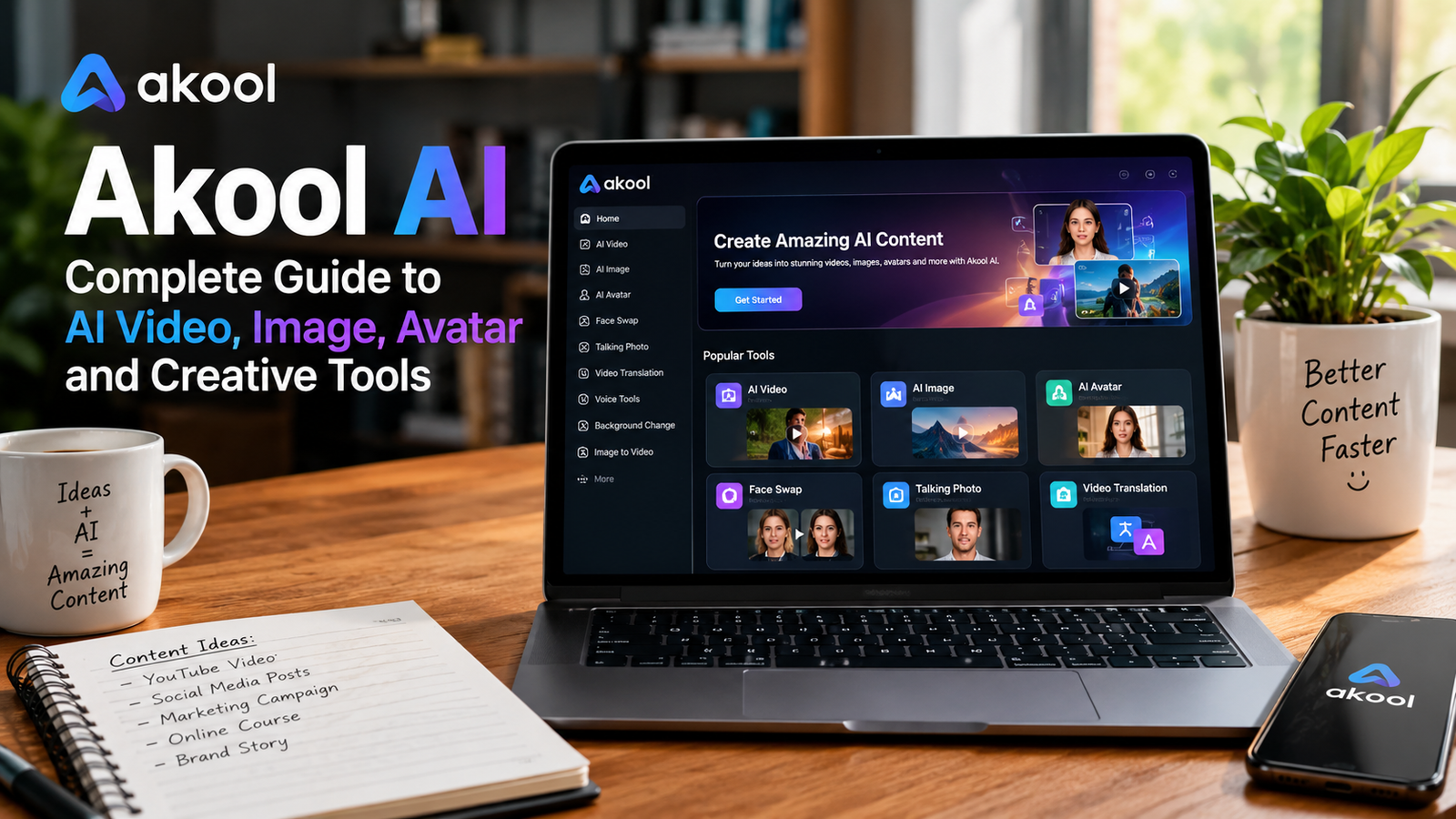
Akool AI is an artificial intelligence content creation platform designed to help users create and transform videos, images, avatars, voices, and other digital media. The platform brings several AI-powered creative features together, including AI video generation, image generation, face swapping, talking photos, avatars, video translation, text-to-speech, voice cloning, background changes, and image-to-video creation.
The main idea behind Akool AI is to reduce the complexity of digital content production. Instead of using different applications for every task, creators can access multiple AI tools from one platform. This can be useful for marketers, social media creators, businesses, educators, agencies, and people who simply want to experiment with AI-generated media.
What Is Akool AI?
Akool AI is an AI-powered creative platform focused on video, image, avatar, and media generation. It provides a collection of tools that can help users produce visual content without needing advanced video editing or graphic design knowledge.
The platform currently offers tools such as face swap, character swap, motion swap, talking photo, avatar video, image generator, image-to-image editing, image-to-video generation, text-to-video creation, video translation, background changes, voice generation, voice cloning, and more. Its official platform describes the service as an AI video creation suite that combines avatars, translation, face swapping, image generation, and other creative features.
One of the most interesting aspects of Akool AI is that it is not limited to a single type of AI generation. A user can start with a text prompt, an image, a video, an avatar, or a voice and use AI to transform that material into another type of content.
This makes the platform useful for different creative workflows. For example, a marketer can create an AI-generated image, turn the image into a video, add an AI voice, and then use an avatar or translated version for a different audience.
Why Is Akool AI Becoming Popular?
The growth of AI content creation has created demand for tools that are fast and easy to use. Many users want to create professional-looking content but do not want to spend hours learning complicated editing software.
Akool AI addresses this problem by putting many creative functions into one environment. According to its current website, the platform supports a large collection of AI models and creative tools, including video generators, image generators, face-swap features, avatars, voice tools, and translation features.
Another reason people may find Akool AI interesting is its focus on realistic media. Modern AI video tools are increasingly capable of creating natural movement, facial expressions, voices, and visual effects. Akool AI uses AI models and computer vision technologies to help create content that can appear more polished and engaging.
The platform can also be useful for businesses that need a large amount of content. Instead of recording every video manually, companies can use AI avatars, generated visuals, translated videos, and other automated workflows to speed up production.
Akool AI for AI Video Creation
Video creation is one of the most important areas of Akool AI. The platform provides several approaches to creating AI videos, allowing users to work from text, images, existing videos, avatars, or other visual references.
Its image-to-video technology is particularly useful for people who already have images but want to turn them into dynamic content. The official documentation explains that users can upload an image and use AI to generate a video with movement, facial expressions, and other visual changes. Some supported workflows can produce videos at high resolutions, depending on the model and plan.
This type of technology can be useful for social media posts, advertisements, product presentations, storytelling, educational content, and promotional videos.
For example, imagine a small business that has a professional product photograph. Instead of using the image as a static social media post, the business could use an image-to-video tool to add movement and create a short promotional clip.
The platform also supports text-to-video workflows. This allows creators to start with an idea or written description and use AI models to produce visual content based on the prompt.
Akool AI Image Generation
Images are another important part of modern content creation. Akool AI includes an image generator that allows users to create visuals from written prompts.
A text prompt can describe a person, location, product, scene, style, lighting, or atmosphere. The AI system then generates an image based on the description. This can be useful when a creator needs original visuals without taking photographs or hiring a designer for every project.
The image generator can be useful for blog thumbnails, social media graphics, advertisements, product concepts, creative projects, presentations, and visual experiments.
Akool AI also provides image-to-image capabilities. Instead of creating an image completely from scratch, users can provide an existing image and use AI to modify or transform it.
This can be helpful when someone wants to change the style, improve the appearance, create variations, or adapt an image for a different creative purpose.
Akool AI Face Swap
Face swapping is one of the features that has helped AI creative platforms become popular. Akool AI provides face-swap capabilities for images and videos.
The basic concept is simple. A source image or video contains a face, and AI technology can replace that face with another face while attempting to maintain the original pose, lighting, and surrounding visual details.
This technology can be used for entertainment, creative projects, advertising concepts, fashion experiments, and other legitimate media applications.
Akool AI currently describes its face-swap technology as capable of working with photos and videos while aiming for realistic results. The platform also offers additional swap-related tools, including character, head, hair, clothing, and motion swapping.
However, responsible use is important. Users should have permission to use another person’s face, especially when creating public, commercial, or sensitive content. AI face manipulation can be powerful, but it should not be used to deceive people, impersonate someone without permission, or create harmful content.
Akool AI Talking Photo
Another interesting feature is the talking photo tool. This technology can turn a still image into an animated video.
Instead of a photograph remaining completely static, AI can create facial movement and make the person appear to speak or react. This can be useful for social media, storytelling, presentations, educational projects, and creative marketing.
A talking photo can also be useful for users who do not want to record themselves on camera. A suitable image and script can be used to create a digital presentation without requiring a physical recording session.
The quality of the final result depends on the input image, model, voice, script, and settings. A clear front-facing image generally provides a better starting point than a low-quality or heavily obstructed photograph.
Akool AI Avatars
AI avatars are another major part of the platform. An avatar can represent a person digitally and deliver spoken content without requiring the creator to appear in every video.
Akool AI offers avatar-related features designed for marketing, education, presentations, customer communication, and social media content. The platform also provides talking avatars and streaming avatars, allowing users to explore both recorded and interactive experiences.
For businesses, avatars can be useful for product demonstrations, company introductions, online training, customer communication, and promotional campaigns.
For educators, an avatar could help deliver lessons or explain information in a more visual way. For content creators, avatars can provide another option for producing videos without traditional filming equipment.
The biggest advantage is convenience. A creator can prepare a script and use an AI-generated or customized avatar to deliver the message.
Akool AI Video Translation
The internet has made it possible for a single video to reach people around the world, but language differences can still create barriers.
Akool AI includes video translation features designed to help creators adapt videos for different languages. According to the platform’s current information, its translation system supports more than 100 languages in some workflows and includes lip-sync capabilities designed to make translated speech appear more natural.
This can be valuable for companies that want to market products internationally.
For example, a company might create a promotional video in English and then create versions for audiences who speak Spanish, French, German, Arabic, or other languages.
Video translation can also be useful for online courses, tutorials, training videos, social media content, and international communication.
Instead of recording the same message repeatedly in different languages, AI can help automate part of the localization process.
Akool AI Voice Tools
Visual content is only one part of a video. Voice and audio can have a major impact on how professional and engaging the final result feels.
Akool AI provides several audio-related tools, including text-to-speech, voice cloning, and voice changing.
Text-to-speech technology converts written text into spoken audio. This allows creators to prepare a script and generate narration without recording their own voice.
Voice cloning is more advanced because it can create a digital representation of a voice from provided audio. This can be useful in approved professional workflows where the user has the necessary rights and permission.
Voice-changing technology can also transform the sound of a voice for creative purposes.
These tools can help creators produce videos more efficiently, but voice cloning should always be used responsibly. A person’s voice can be an important part of their identity, so permission and ethical use matter.
Akool AI Background Change
Changing a video background traditionally required green-screen equipment or complex editing techniques. AI has made this process easier.
Akool AI provides background-change capabilities that can isolate the main subject and replace the background with another image, color, or design.
This can be useful for presentations, advertisements, product videos, social media content, and professional communication.
For example, a person recording a video at home could potentially replace the original background with a professional office environment. A product creator could also replace an ordinary background with a more attractive visual setting.
The quality of background replacement depends on the original footage. Clear separation between the subject and background usually makes AI processing easier.
Akool AI Image to Video
Image-to-video generation is one of the most useful AI workflows for modern creators.
A single image can contain a strong visual idea, but video can make that idea more engaging. Akool AI’s image-to-video tools are designed to transform static visuals into moving clips.
The platform states that its image-to-video technology can generate high-fidelity videos while maintaining visual consistency and identity across frames. It also supports different AI models for video generation.
This can be useful for turning product images into advertisements, creating animated portraits, producing social media clips, or bringing artwork to life.
Creators can experiment with camera movement, character motion, facial expressions, and other visual effects depending on the available model and controls.
Akool AI for Social Media Creators
Social media platforms require a constant flow of fresh content. Creators often need short videos, images, thumbnails, advertisements, captions, and visual effects.
Akool AI can help simplify some of these tasks.
A creator might use AI image generation to create a visual, image-to-video technology to animate it, AI voice tools to add narration, and an avatar to deliver a message.
This type of workflow can reduce the need to switch between multiple creative applications.
The platform can be particularly useful for short-form content because creators can experiment with different concepts quickly. A single idea can be transformed into multiple versions for different social media platforms.
However, AI-generated content should still have human creativity behind it. AI tools are most useful when the creator provides a strong concept, good prompts, clear storytelling, and thoughtful editing.
Akool AI for Marketing
Marketing is another area where AI content tools can provide value.
Businesses need advertisements, product demonstrations, promotional videos, social media posts, landing-page visuals, and other marketing materials. Creating all of this manually can require significant resources.
Akool AI can help businesses create visual campaigns using avatars, generated images, AI videos, translations, voice tools, and editing features.
A company could create an advertisement featuring an AI avatar, generate product visuals, translate the video for international customers, and create different versions for social media.
This can make content production more scalable.
The platform also provides business-oriented plans and API capabilities for organizations that need larger-scale workflows. Its current pricing information shows different levels designed for creators, professional users, power creators, businesses, and enterprise customers.
Akool AI for Education
Education is another field where AI-generated media can be useful.
Teachers and course creators can use avatars to explain lessons, create translated educational videos, or generate supporting visuals.
For example, a teacher could prepare a written explanation and use text-to-speech or an avatar to create a video lesson. Visual content can also make complicated topics easier to understand.
Online education platforms can potentially use AI video translation to make lessons available to students who speak different languages.
The technology does not replace teachers. Instead, it can work as a production assistant that helps educators create more content with fewer resources.
Akool AI for Businesses and Agencies
Marketing agencies often need to produce content for many clients. Producing everything manually can become expensive and time-consuming.
Akool AI can help agencies experiment with scalable content production. Multiple clients can require different visual styles, languages, avatars, voices, and marketing messages.
AI can help create initial versions faster, allowing creative teams to spend more time on strategy, storytelling, branding, and quality control.
The platform also offers API-related capabilities for organizations that want to integrate AI media generation into their own workflows. This makes the technology more interesting for companies that want automation instead of only using a web interface.
Akool Edge and On-Device AI
One notable development is Akool Edge, which focuses on running AI capabilities directly on compatible devices.
According to the official Akool Edge information, the system is designed to provide features such as streaming avatars, video translation, face swapping, and live video generation without requiring cloud access for those workflows. It is intended to use local processing and hardware acceleration on supported AMD, Qualcomm, and Arm devices.
On-device AI can be important for privacy, speed, and reduced cloud dependency.
When sensitive visual or audio information is processed locally, there can be advantages for organizations that need stronger control over their data.
However, actual performance depends on the device, hardware capabilities, software configuration, and the specific AI feature being used.
Akool AI Pricing
The cost of AI content creation platforms can vary depending on usage, video resolution, available models, generation limits, and commercial requirements.
Akool AI currently uses credit-based plans with different options for creators and businesses. Its pricing page lists plans such as Starter, Pro, Pro Max, Business, and Enterprise, with different credit amounts, resolutions, video lengths, model access, and concurrency limits.
This means users should choose a plan based on their actual content requirements rather than selecting the most expensive option automatically.
A casual creator may only need basic tools and a smaller number of generations. A professional creator may need higher resolution, faster processing, more credits, and access to advanced models.
Businesses and agencies may require commercial licensing, higher limits, collaboration features, API access, or enterprise support.
Because AI pricing and available features can change, it is always better to check the current plan information before purchasing.
How to Start Using Akool AI
Getting started with Akool AI is generally straightforward. A user can create an account and explore the available AI tools.
A good first project is often something simple, such as creating an image from a text prompt or converting a single image into a short video.
Once the basic workflow is understood, users can explore more advanced features such as avatars, face swaps, voice generation, video translation, and AI editing.
The quality of the input matters. A clear image, well-written prompt, suitable script, and good-quality source video can improve the final result.
When using the AI video editor, Akool’s documentation recommends uploading a video, adding or customizing content, previewing the result, and exporting the finished video. The editor supports features such as text-to-image, image-to-image, background changes, and image upscaling.
Tips for Getting Better Results
The quality of an AI-generated result often depends on how clearly the user communicates the desired outcome.
A strong prompt should explain the subject, environment, visual style, lighting, camera movement, mood, and important details when relevant.
For image-to-video generation, the starting image should be clear and high quality. The official image-to-video documentation notes that clear, front-facing portraits or images with less background noise can provide better results.
It is also useful to experiment with different prompts rather than expecting the first generation to be perfect.
AI is a creative process. A strong workflow usually involves generating, reviewing, refining, and generating again.
Creators should also keep brand consistency in mind. If the content is being produced for a company, colors, tone, character appearance, voice, and messaging should remain consistent across different assets.
Is Akool AI Easy to Use?
One of the main advantages of Akool AI is its focus on accessible creative workflows.
Users do not necessarily need advanced video editing skills to experiment with many of its features. The platform provides interfaces designed around specific tasks, such as face swapping, image generation, avatar video creation, image-to-video generation, and translation.
This makes the platform suitable for beginners who want to explore AI content creation.
At the same time, advanced users can take advantage of more sophisticated features, different AI models, higher resolutions, API access, and production-oriented workflows.
Therefore, Akool AI can serve both beginners and professional users, although the exact experience depends on the selected tools and plan.
Is Akool AI Good for Professional Content?
Akool AI can be useful for professional content when the creator carefully reviews and edits the generated results.
AI can dramatically reduce production time, but professional quality still requires human judgment.
Generated videos should be checked for unnatural facial expressions, incorrect movements, strange objects, audio problems, text errors, or visual inconsistencies.
For marketing campaigns, human review is especially important because brand reputation depends on the quality and accuracy of published content.
The strongest approach is to treat AI as a production assistant rather than a complete replacement for creative decision-making.
Privacy and Responsible AI Use
AI-generated media creates new opportunities, but it also creates responsibilities.
Users should avoid uploading private or sensitive information unless they understand how the platform handles that data. Businesses should also review privacy requirements before processing confidential content.
Face swaps and voice cloning require additional care. A person’s face or voice should not be used without appropriate authorization, especially for commercial or public content.
AI-generated videos should also not be used to impersonate people, spread false information, manipulate audiences, or create deceptive content.
Responsible AI use protects both creators and the people represented in their content.
Advantages of Akool AI
Akool AI brings many creative tools together in one platform, which can reduce the need to switch between different applications.
Its support for AI video, image generation, avatars, face swapping, talking photos, translation, voice tools, and image-to-video generation gives creators many options.
Another advantage is scalability. Businesses and agencies can potentially produce more content without increasing traditional production resources at the same rate.
The platform also supports different AI models and offers higher-resolution workflows on selected plans, giving professional users more flexibility.
Its growing collection of tools means users can experiment with different types of AI-generated media from a single environment.
Limitations of Akool AI
Despite its capabilities, Akool AI is not perfect.
AI-generated content can sometimes contain visual mistakes, unnatural movements, incorrect expressions, or other artifacts. Results may vary depending on the input, model, prompt, and generation settings.
Advanced features can also require credits, and higher-quality or higher-volume production may require a paid plan.
Another consideration is that AI-generated content still needs human review. Users should not assume that every generated image or video is automatically ready for publication.
For professional campaigns, creators should carefully check accuracy, branding, copyright considerations, permissions, and overall quality.
Akool AI vs Traditional Content Creation
Traditional content creation often requires cameras, lighting equipment, microphones, actors, editors, designers, and other resources.
AI tools can reduce some of these requirements.
With Akool AI, a creator may be able to generate visuals, animate images, create an avatar, produce narration, translate a video, or modify a background without setting up a complete traditional production environment.
However, traditional production still has important advantages. Real actors, professional cameras, physical locations, and human-directed performances can provide authenticity that AI does not always reproduce perfectly.
For many users, the best strategy is not to choose between AI and traditional production. A combination of both can produce strong results.
Future of Akool AI
The future of AI content creation is likely to involve more realistic video generation, better avatars, improved voice technology, stronger personalization, faster generation, and more powerful real-time interaction.
Platforms like Akool AI are moving toward a world where text, images, video, audio, and interactive avatars can be connected in a single creative workflow.
As AI models improve, creators may be able to produce increasingly complex videos from simple instructions.
Real-time avatars could also become more common in customer support, education, online events, digital marketing, and virtual communication.
On-device AI may become another important trend because businesses and individuals increasingly care about privacy, speed, and local processing.
Akool AI’s expansion into areas such as streaming avatars, on-device processing, AI support agents, and large-scale content production shows how AI media platforms are moving beyond simple image generation toward complete digital communication systems.
Read More About : promptseen
Who Should Use Akool AI?
Akool AI can be useful for many different types of users.
Social media creators can use it to produce engaging videos and visual content. Marketers can use it for advertisements and promotional campaigns. Businesses can use avatars, translations, and AI-generated visuals for communication.
Educators can explore AI avatars and translated videos for online learning. Agencies can use AI tools to speed up content production for different clients.
Beginners can also use the platform to experiment with AI-generated images and videos without learning complicated professional editing software.
The best results usually come from users who understand both the creative possibilities and the limitations of AI.
Final Thoughts on Akool AI
Akool AI represents the growing movement toward all-in-one AI content creation platforms. Instead of focusing on one narrow function, it combines video generation, image creation, face swapping, avatars, talking photos, translation, voice tools, background editing, and other creative technologies.
Its wide range of features makes it useful for creators, marketers, businesses, educators, and agencies that want to produce digital media more efficiently.
The platform is especially interesting because it connects different stages of the creative process. A user can start with an idea, generate an image, transform it into a video, add a voice, use an avatar, translate the result, and prepare the final content for a wider audience.
At the same time, users should remember that AI is a tool rather than a replacement for human creativity. Strong prompts, good source material, careful editing, fact-checking, ethical use, and human review remain important.
For anyone interested in exploring modern AI-powered media creation, Akool AI offers a broad collection of tools in one environment.
Overall, Akool AI is a strong example of how artificial intelligence is changing digital content production. As AI models continue to improve, platforms like this are likely to make professional-looking video, image, audio, and avatar creation more accessible to everyday users.