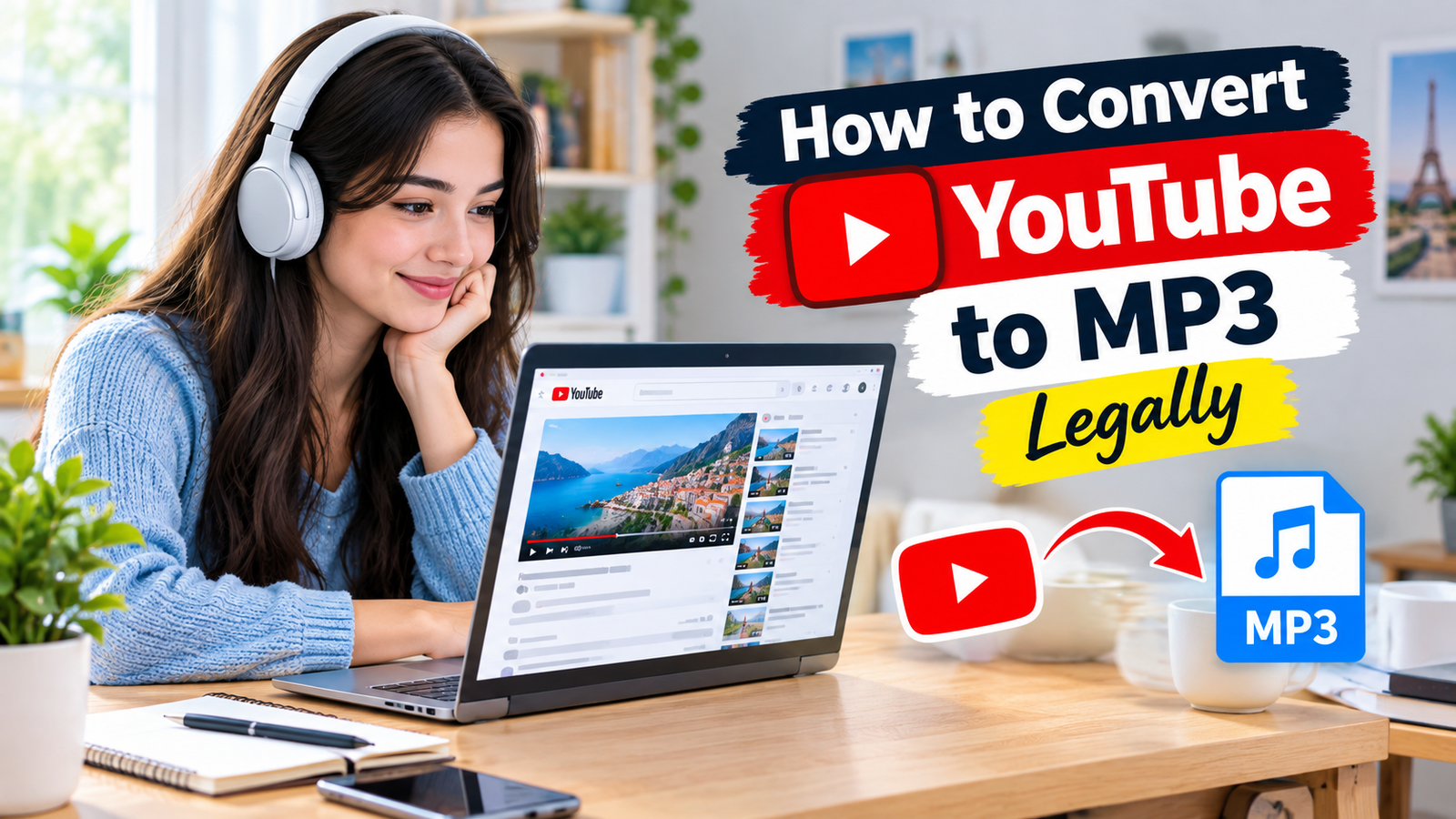

YouTube has become a major source of music, podcasts, interviews, tutorials, educational lessons, speeches, documentaries, and other digital content. Many people prefer listening to audio instead of watching a complete video, especially when they are traveling, studying, exercising, or working. Because of this, the question of how to convert YouTube to MP3 legally is becoming increasingly important for internet users who want convenient access to audio while still respecting copyright and platform rules.
The process may appear simple because many websites and applications claim to convert YouTube videos into MP3 files. However, the technical ability to convert a video does not automatically mean that the conversion is authorized. Copyright ownership, licensing, creator permission, and YouTube’s terms can all affect whether a particular download or conversion is permitted.
Understanding how to convert YouTube to MP3 legally therefore requires more than knowing how an MP3 converter works. It requires understanding what type of content you are dealing with, who owns the content, whether you have permission to use it, and what you intend to do with the resulting audio file.
The safest approach is to work with content that you own, content for which you have clear permission, or content that is available under a license allowing the intended use. When those conditions are satisfied, converting an authorized video file into an MP3 can be a useful way to create a convenient audio version.
Understanding How to Convert YouTube to MP3 Legally
When people search for how to convert YouTube to MP3 legally, they are usually looking for a convenient way to turn video content into an audio file. The important word in this search is “legally.” A converter can technically extract audio from a video, but the legality of that action depends on the rights associated with the content.
YouTube contains both original and copyrighted material. Some videos are created entirely by the uploader, while others include music, movie clips, photographs, interviews, recordings, or other material owned by third parties.
This means that users should not assume that every video available on YouTube can automatically be downloaded and converted.
YouTube’s Terms of Service restrict downloading or reproducing content unless the service specifically permits it, the relevant rights holder has authorized it, or applicable law allows the activity. YouTube Terms of Service
For this reason, how to convert YouTube to MP3 legally should always begin with a rights check. Before using any conversion method, ask whether you created the content, received permission, have a suitable license, or have another valid legal basis for obtaining the audio.
Read More About : inflact
Why People Want YouTube Videos as MP3 Files
There are many legitimate reasons someone may want an audio version of a video. A content creator may want to turn a video interview into a podcast. A teacher may want an audio version of a lecture. A student may want to listen to an authorized educational recording while commuting. A business may want to create an audio archive of its own presentations.
MP3 is popular because it offers relatively small file sizes and broad compatibility. Most smartphones, computers, tablets, car audio systems, and media players support MP3 files.
For these reasons, learning how to convert YouTube to MP3 legally can be useful for people who work with their own content or authorized recordings.
The key is to separate legitimate conversion from unauthorized copying. If you own the recording or have permission to convert it, you can focus on technical quality and file management. If you do not have permission, simply finding a website that can extract the audio does not solve the copyright issue.
Converting Your Own YouTube Videos
One of the clearest examples of how to convert YouTube to MP3 legally involves videos that you created yourself.
Suppose you have uploaded a tutorial, vlog, interview, podcast, presentation, lecture, or original music performance to YouTube. If you own the necessary rights to the recording, you may need an audio-only version for another project or for personal archiving.
The best option is often to use the original video file if you still have it. The original file may provide better quality than a compressed version obtained from a streaming platform.
If you no longer have the original, YouTube provides creators with an official way to download videos they have uploaded, subject to its applicable limitations. After obtaining your authorized video file, you can use trusted media conversion software to extract the audio and save it as MP3.
This approach provides a straightforward answer to how to convert YouTube to MP3 legally because you are working with content that you created or are otherwise authorized to use.
Creator Permission and Authorized Downloads
Another important situation involves content that a creator has explicitly made available for downloading.
Some creators publish videos with instructions allowing viewers to download or reuse their material. Others may provide separate audio downloads through their websites, podcast platforms, online courses, or digital libraries.
When permission is provided, it is important to understand its exact scope.
A creator might allow personal downloading but prohibit redistribution. Another creator might allow educational use but prohibit commercial use. A license might require attribution or impose other conditions.
Therefore, how to convert YouTube to MP3 legally is not only about obtaining permission. It is also about understanding what that permission allows you to do after the conversion.
If you have written permission, keeping a record of it can be useful. This is particularly important when the audio will be used in professional, educational, or commercial projects.
Creative Commons and Licensed Content
Creative Commons licenses can provide specific permissions for using digital content. Some creators use these licenses to explain how others can reuse their work.
However, Creative Commons does not mean that every video can be used without restrictions. Different licenses have different requirements. Some may require attribution, while others may restrict commercial use or impose conditions on derivative works.
Before using licensed YouTube content, read the license carefully and make sure that your intended use is permitted.
For example, if a license allows reuse with attribution, the appropriate credit should be provided. If commercial use is restricted, the resulting MP3 should not be used in a commercial project without additional permission.
Understanding licensing conditions is therefore an essential part of how to convert YouTube to MP3 legally.
Public Domain Content
Public domain material can sometimes be used without ordinary copyright restrictions, but its status should still be verified.
Copyright rules vary by country, and the status of a particular work can depend on its age, authorship, publication history, and other factors.
There is also an important difference between a composition and a recording. An old musical composition may be in the public domain while a newer recording of that composition remains protected.
Therefore, users should not assume that an old recording on YouTube is automatically free to download and convert.
Anyone researching how to convert YouTube to MP3 legally should consider the actual recording rather than relying only on the age or historical status of the underlying material.
YouTube Premium and Offline Listening
YouTube also provides official offline functionality for eligible users. YouTube Premium can allow supported videos to be downloaded for offline playback within YouTube.
However, offline playback is different from receiving an independent MP3 file.
The official YouTube help information explains that ordinary audio or MP3 files are not provided as standard downloads through the YouTube app. Offline functionality is designed for supported playback within YouTube rather than unrestricted MP3 files.
This distinction matters because someone searching how to convert YouTube to MP3 legally may actually only want to listen to content without an internet connection.
If offline listening is your main goal, an official YouTube feature may be sufficient. There may be no need to create a separate MP3 file.
Why Official Methods Are Worth Considering
Official features can make the process easier and reduce unnecessary risks.
Creators can use YouTube’s official tools to access their own uploaded videos. Eligible users can use supported offline features for appropriate content.
These options also reduce the need to enter YouTube links into unfamiliar third-party websites.
When considering how to convert YouTube to MP3 legally, it is sensible to determine whether YouTube already provides a feature that meets your needs.
If you need an independent MP3 file from content you own, you can work with an authorized source file and trusted conversion software. If you only need offline playback, the official YouTube option may be more convenient.
Risks of Unknown YouTube MP3 Websites
There are many websites that advertise free YouTube-to-MP3 conversion. Users should understand that the technical operation of these websites is separate from the legal status of the content being downloaded.
There can also be security concerns. Some unfamiliar websites may contain aggressive advertising, misleading download buttons, unwanted redirects, browser notification requests, or suspicious software.
Users should be particularly careful if a website asks for unnecessary personal information or requires unrelated applications and browser extensions.
For authorized content, local conversion software can provide a more controlled workflow. You can first obtain the video file that you are allowed to use and then convert it on your own device.
This approach makes how to convert YouTube to MP3 legally easier to manage because the source file and the conversion process are kept separate.
Audio Quality and MP3 Conversion
After the legal side has been established, audio quality becomes an important consideration.
MP3 is a compressed format, which means that some audio information can be removed during encoding. The quality of the resulting file depends on the original source and the settings used during conversion.
For spoken content such as podcasts, interviews, tutorials, and lectures, moderate MP3 quality can provide clear speech while keeping the file relatively small.
Music can require more attention because compression may be more noticeable in complex recordings.
It is also important to remember that increasing the MP3 bitrate cannot restore information that was already lost from the source.
For creators learning how to convert YouTube to MP3 legally, keeping the original high-quality recording is therefore recommended. The MP3 can be treated as a convenient listening copy rather than the master version.
Choosing the Right Audio Format
MP3 is convenient because it is widely supported, but it is not the only available audio format.
WAV can preserve uncompressed audio but usually requires more storage. FLAC offers lossless compression and can be useful for people who want to preserve audio quality while reducing storage requirements.
If the goal is everyday listening, MP3 may be practical. If the goal is professional editing or long-term preservation, a lossless format may be preferable.
The intended use should therefore influence the conversion settings.
For someone researching how to convert YouTube to MP3 legally, the best format is not necessarily the one with the largest file size. It is the format that meets the actual purpose while maintaining appropriate quality.
Converting Music Videos
Music requires special attention because a recording may involve multiple rights holders.
A commercial song can involve performers, songwriters, publishers, labels, producers, and other parties. A music video may also contain separate visual rights.
Therefore, the fact that a song can be watched publicly on YouTube does not automatically mean that the recording can be converted into an MP3.
If an artist provides an official audio download, using that option is usually clearer. If you created the recording yourself and own the relevant rights, you can work with your own source file.
People searching how to convert YouTube to MP3 legally for music should therefore pay particular attention to licensing and ownership.
Podcasts and Interviews
Podcasts and interviews are common examples where an audio version can be useful.
Many podcast creators distribute their episodes through dedicated podcast platforms. If an official MP3 or podcast feed is available, that source may be preferable to extracting audio from YouTube.
Creators who own their interviews can also export audio directly from their original editing projects.
This can preserve better quality and eliminate unnecessary conversion steps.
For podcast creators, understanding how to convert YouTube to MP3 legally can be particularly useful when repurposing video content into audio content.
Educational Content
Educational videos can also benefit from authorized audio versions.
A teacher may record a lecture and upload it to YouTube. Later, the teacher may want to create an audio version for students. A course creator may want to repurpose a lesson as a podcast.
If the creator owns the material and allows the conversion, creating an MP3 can be practical.
Students should follow the instructor’s instructions when using educational content. If a lecture contains third-party copyrighted material, additional restrictions may apply.
The educational purpose alone does not automatically determine whether copying is permitted.
This is another reason why how to convert YouTube to MP3 legally should always be considered together with the rights attached to the specific content.
Personal Use and Legal Considerations
Some people assume that conversion is automatically allowed when the resulting MP3 is only for personal use. However, copyright exceptions differ depending on jurisdiction and circumstances.
Platform terms may also impose restrictions independently of copyright law.
For this reason, users should not assume that personal use automatically makes every YouTube conversion permissible.
When the legal situation is uncertain, an official YouTube feature or direct permission from the rights holder can provide a clearer path.
This is particularly important for commercial music, movies, premium courses, and other protected material.
Understanding these differences is a central part of how to convert YouTube to MP3 legally.
Can You Share the Converted MP3?
Creating an MP3 with permission does not necessarily mean that you can share it with other people.
For example, a teacher might allow a student to download a lecture for personal study but not permit the student to upload the MP3 to another website.
Similarly, a creator may allow personal use but prohibit redistribution.
Before sharing a converted audio file, check whether the permission or license covers distribution.
If you plan to publish the MP3 online, send it to a large audience, include it in another project, or monetize it, additional rights may be necessary.
This distinction is particularly important for anyone learning how to convert YouTube to MP3 legally for professional or commercial purposes.
Commercial Use of MP3 Files
Commercial use requires additional attention because copyright holders may control how their content is used in monetized projects.
For example, a company may want to extract audio from a YouTube interview and use it in an advertisement. Public access to the interview does not automatically provide commercial rights.
A business should verify the relevant license or obtain permission before using the audio commercially.
The same principle applies to advertisements, paid courses, promotional videos, social media campaigns, and monetized podcasts.
For businesses and professional creators, understanding how to convert YouTube to MP3 legally should include both the conversion rights and the rights to use the resulting audio.
A Safe Workflow for Your Own Content
The process becomes much easier when you are working with your own content.
Start by locating your original video file. If the original file is unavailable, use the official creator tools provided by YouTube to access your uploaded video when eligible.
Once you have an authorized video file, open it using trusted media conversion software.
Select MP3 as the output format and choose an appropriate quality level.
Save the file using a clear name and store it in a secure location.
After conversion, play the file and check that the audio is complete and clear.
This provides a practical example of how to convert YouTube to MP3 legally without depending on an unfamiliar online converter.
How to Choose Trusted Conversion Software
If you already have a video file that you are authorized to use, reputable desktop software can be useful for audio extraction.
Choose software from a trustworthy source and check what permissions it requests.
Avoid applications that attempt to install unrelated programs, browser extensions, or unnecessary tools.
You should also keep your operating system and security software updated.
The simplest workflow is usually the safest. Obtain an authorized source file, convert it locally, save the resulting MP3, and use it only according to the rights attached to the original material.
This approach keeps the technical side of how to convert YouTube to MP3 legally straightforward.
Common Mistakes to Avoid
One of the biggest mistakes is assuming that every YouTube video is free to download because it is publicly available.
Another mistake is believing that converting a video into MP3 removes copyright restrictions. It does not.
Some users also believe that giving credit automatically makes unauthorized copying acceptable. Attribution can be required by a license, but credit alone does not necessarily provide permission.
Another common misunderstanding involves YouTube Premium. Offline playback through YouTube is not the same as receiving an unrestricted MP3 file.
Users should also avoid suspicious converter websites that request unnecessary information or software installations.
Avoiding these mistakes makes the process more responsible and provides a clearer understanding of how to convert YouTube to MP3 legally.
How to Convert YouTube to MP3 Legally Without Copyright Problems
The first step is to identify the content owner.
The next step is to determine whether you have permission or another valid basis for using the content.
If you created the video yourself, confirm that you also control the rights to the audio and any third-party material included in the recording.
If the content belongs to another creator, check the license or ask for permission.
If an official YouTube feature meets your needs, consider using it instead of creating an independent file.
If you already have an authorized video file, use trusted software to convert it into MP3.
Finally, use and share the resulting audio only within the limits of your permission or license.
Following this process provides a practical understanding of how to convert YouTube to MP3 legally while reducing unnecessary copyright and security risks.
Why the Original Video File Is Important
Creators should ideally keep their original recordings.
YouTube versions may be compressed compared with the original source. Repeated conversion between compressed formats can also affect audio quality.
If you have the original recording, you can create different versions depending on your needs.
You could create an MP3 for everyday listening, a WAV file for editing, or a FLAC file for lossless storage.
Keeping the master recording gives you greater flexibility and reduces the need to repeatedly extract audio from an online version.
This is an important consideration for anyone interested in how to convert YouTube to MP3 legally as part of a professional content workflow.
Mobile Users and Audio Conversion
Mobile users may want MP3 files because smartphones are convenient portable audio players.
However, installing unknown conversion applications can create unnecessary security risks.
If the content belongs to you, obtaining your authorized source file and using reputable software is a better approach.
If your only goal is offline playback, an official YouTube feature may be sufficient.
The best solution depends on your content rights and the reason you need the audio.
Understanding how to convert YouTube to MP3 legally means choosing a method that is appropriate not only technically but also in terms of authorization and security.
Final Thoughts
The question of how to convert YouTube to MP3 legally is ultimately about more than finding a converter. It involves copyright, licensing, creator permission, platform rules, audio quality, and the intended use of the resulting file.
If you created the video yourself, have clear permission from the rights holder, or are working with content under a suitable license, you may have a legitimate basis for creating an MP3. In those situations, working from an authorized video file and using trusted conversion software can be a practical solution.
For people who simply want offline access, YouTube’s official offline features may be enough. For podcasts and educational content, an official audio download may provide a better alternative. For music and other copyrighted material, users should pay particular attention to licensing and permission.
The most important principle behind how to convert YouTube to MP3 legally is to verify your rights before conversion. You should also verify your rights before sharing, publishing, or commercially using the resulting audio.
A responsible approach protects creators, respects copyright, and gives users a clearer way to manage digital audio. Once the rights are clear, the technical part of converting an authorized video into an MP3 becomes much easier.
For anyone searching how to convert YouTube to MP3 legally, the safest path is therefore simple: use your own content, use properly licensed content, obtain permission where necessary, rely on official YouTube features when appropriate, and use trusted software when converting an authorized file. This approach keeps the process practical, responsible, and naturally optimized around the focus keyword.