

In this story
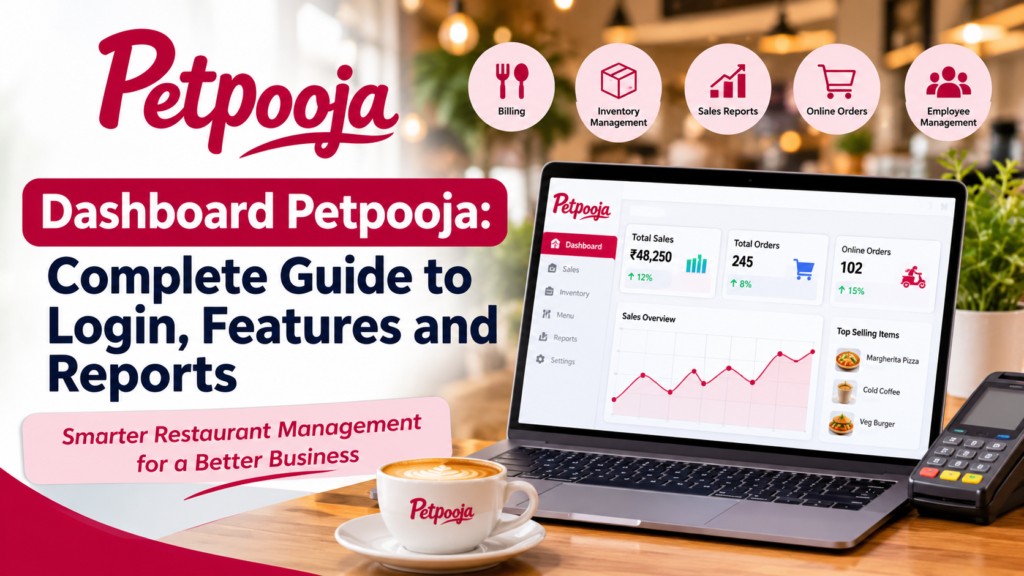
Running a restaurant is not always easy because owners have to manage many different activities every day. These activities include taking customer orders, preparing food, managing employees, checking stock, receiving payments, and reviewing daily sales. When all these tasks are managed manually, they can take a lot of time and create confusion. This is where modern restaurant management software becomes useful. Dashboard Petpooja is a popular search term among restaurant owners and employees who want to understand how Petpooja helps manage restaurant operations through digital tools.
Petpooja is a restaurant management and point-of-sale platform designed to help food businesses handle their daily activities. It provides tools for billing, inventory management, online orders, customer information, menu management, and business reporting. Its dashboard and reporting features help restaurant owners understand what is happening in their businesses without depending completely on paper records or separate spreadsheets.
The main purpose of Dashboard Petpooja is to make restaurant management more organized and convenient. Instead of checking different records for sales, orders, payments, and stock, restaurant managers can use connected software features to access important business information. This can make daily work easier and help owners make better decisions.
Whether someone manages a small cafe, a busy restaurant, a takeaway business, or several food outlets, understanding the Petpooja dashboard can help them learn how digital restaurant management works. This guide explains its main features, login process, reports, benefits, possible limitations, and practical uses in simple English.
What Is Dashboard Petpooja?
Dashboard Petpooja refers to the management and reporting interface associated with Petpooja restaurant software. It helps authorized restaurant owners and managers access business information and control different operational activities. The available options may depend on the user’s account permissions, software configuration, subscription plan, and the products activated for the restaurant.
A restaurant dashboard is similar to a control center. It brings important information together so that users do not have to move between many different systems. For example, a restaurant owner may want to check how many orders were completed during the day, which food items sold the most, how much money was received, and whether certain ingredients are running low.
With connected restaurant software, these activities can become easier to monitor. Dashboard Petpooja supports restaurant operations by connecting different business functions with the point-of-sale system. This means that information collected during normal restaurant activities can also support reporting and business analysis.
For example, when an employee creates a customer bill through the POS system, the transaction can contribute to sales reporting. When inventory is configured with recipes and raw materials, food sales can help track ingredient consumption. This connection between daily operations and business reports is useful because restaurant owners can understand their performance using recorded information.
However, it is important to understand that a dashboard is not a replacement for good restaurant management. Owners still need to train employees, check information, maintain accurate stock records, and follow proper financial practices.
How Does Dashboard Petpooja Work?
Dashboard Petpooja works as part of a connected restaurant management system. It brings different operational activities into a digital environment where authorized users can manage and review information.
The process usually begins when a restaurant uses Petpooja POS to record orders and generate bills. Employees enter food items, select order types, apply permitted discounts, and complete payments. The software records the relevant transaction information according to the restaurant’s configuration.
This information can then support different management activities. Sales records help owners understand revenue. Order information helps managers review restaurant activity. Inventory information can help track raw material usage. Customer information can support customer relationship management.
The dashboard makes these connected activities easier to review. Instead of maintaining separate notebooks for every business activity, restaurant owners can use available reports and management tools.
For example, imagine a restaurant that sells pizza, burgers, sandwiches, and drinks. At the end of the day, the owner wants to know which products performed well. By reviewing item-wise sales reports, the owner can identify popular products and understand customer preferences.
The same information can help managers plan purchases, update menus, and organize employees. This makes Dashboard Petpooja useful for restaurants that want to improve their daily workflow.
Dashboard Petpooja Login Process
Restaurant owners and employees often search for the Dashboard Petpooja login process because they want to access their business information online. The login process depends on the Petpooja product and account provided to the restaurant.
Users should always access the platform through an official Petpooja website, application, or login address supplied by the company. They should avoid random websites that claim to provide direct access to restaurant accounts.
To begin, users need to identify which Petpooja product or dashboard they have been given access to. Different products may have different login experiences and access requirements.
After opening the correct official login page or application, the user can enter the credentials provided by the restaurant administrator or Petpooja support team. These details may include a registered username, mobile number, email address, password, or other account information depending on the system.
Once the credentials are accepted, the user can access the features allowed for their account. A restaurant owner may have broader access than a cashier or another employee. This is important because not every staff member needs permission to view financial reports or change important settings.
If someone cannot log in, they should first check whether their credentials are correct. They should also confirm that they are using the correct login portal and that their account has been activated.
If the problem continues, contacting the restaurant administrator or official Petpooja support is a safer option than sharing passwords with unknown people.
Main Features of Dashboard Petpooja
Dashboard Petpooja is connected with several restaurant management features. These features are designed to reduce manual work and help restaurant owners understand their business operations.
Restaurant Sales Management
Sales management is one of the most important activities for every restaurant. Owners need to understand how much money their business earns and how sales change over time.
Petpooja provides sales reporting features that help restaurant owners review business performance. Depending on the available configuration, users may be able to examine sales summaries, item-wise sales, category-wise sales, and payment information.
For example, a cafe owner may want to compare sales from coffee, tea, sandwiches, and desserts. This information can help the owner understand which products attract more customers.
Dashboard Petpooja makes sales information easier to review through connected reporting tools. Instead of calculating everything manually, managers can use recorded transaction data to understand their restaurant’s performance.
Sales reports can also help identify busy periods. If a restaurant receives more orders during lunch hours, managers can prepare staff schedules and ingredient supplies accordingly.
Billing and Payment Management
Billing is a basic requirement for every restaurant. Employees need a simple way to create accurate bills, manage orders, and accept customer payments.
Petpooja POS includes billing features designed to support restaurant transactions. Employees can enter menu items, select quantities, manage orders, and generate customer bills.
Depending on the restaurant’s setup, the system may support different order types, including dine-in, takeaway, and delivery. It can also work with supported payment methods and connected services.
Accurate billing is important because incorrect bills can create customer complaints and financial confusion. A digital billing system can reduce some manual calculation errors and make transaction records easier to review.
Dashboard Petpooja supports this process by connecting billing information with the wider restaurant management system. Owners can use the available reports to review sales and understand how transactions are being handled.
Inventory Management
Inventory management is another important part of restaurant operations. Restaurants need ingredients such as vegetables, flour, rice, meat, spices, cooking oil, and other materials to prepare food.
Without proper inventory management, restaurants may purchase too much stock or run out of important ingredients. Both situations can affect business performance.
Petpooja offers inventory management features that help restaurants monitor raw materials and stock movements. Its system can connect menu recipes with ingredient consumption, allowing stock information to become more useful.
For example, when a restaurant sells a burger, its recipe may include a bun, patty, cheese, vegetables, and sauces. If the inventory module is configured correctly, the software can help track the ingredients used for preparing that item.
Dashboard Petpooja can help managers review inventory information and understand which materials need attention. Low-stock alerts can also help restaurants prepare for future purchases.
This feature is especially useful for businesses that sell many menu items and need regular stock updates.
Online Order Management
Online food ordering has become an important part of the restaurant industry. Customers often prefer ordering food through websites and delivery applications instead of visiting restaurants.
Managing orders from different platforms can become difficult when employees have to check several devices or screens. This can increase the chance of missed orders and delayed preparation.
Petpooja provides online order management capabilities that help restaurants handle supported online ordering services through connected systems.
The restaurant can receive orders, review order details, and manage their progress according to the available setup. This can improve coordination between front-counter employees and kitchen staff.
Dashboard Petpooja is useful in this area because managers can review available order information and monitor business activity through connected tools.
However, the exact integrations and available functions depend on the restaurant’s account, selected services, and supported delivery partners.
Menu Management
A restaurant menu is more than a list of food items. It contains product names, prices, categories, variations, and other details that customers and employees need during the ordering process.
Petpooja provides menu management features that help restaurants organize their food items. Owners can manage menu information and configure available options according to their business requirements.
For example, a pizza restaurant may offer small, medium, and large sizes. It may also provide extra cheese, additional toppings, and different crust options.
A digital menu management system can help organize these choices more clearly. It can also make menu updates easier when prices or available products change.
Dashboard Petpooja connects menu management with other restaurant operations. This connection is useful because menu items are related to billing, sales reports, and inventory consumption.
Reports and Analytics
Reports and analytics help restaurant owners understand their business using recorded information. Without reports, owners may know how much money they received but may not understand why sales increased or decreased.
Petpooja provides reporting features for sales, inventory, online orders, payments, and other restaurant activities. Its official website describes more than 80 business reports, although the reports available to an individual user may depend on the product and configuration.
Dashboard Petpooja helps users access useful business information through reporting tools. Managers can review daily performance, identify popular items, and examine operational records.
For example, an owner may discover that a particular food category performs better during weekends. This information can help the restaurant plan promotions and prepare stock.
Reports can also help identify unusual activity. If there are frequent discounts, cancelled bills, or changes to transactions, authorized managers may review the relevant records to understand what happened.
Employee Access and User Permissions
Restaurant owners need to control who can access different parts of their business software. A cashier may need billing access, while a manager may require additional permissions for reports and operational settings.
Petpooja provides user rights management features that allow restaurant owners to manage employee permissions.
This is important because giving every employee complete access can create unnecessary risks. Some users should only perform the tasks required for their jobs.
Dashboard Petpooja can support centralized management by allowing authorized users to review staff activity and control access according to available permissions.
For example, an owner may allow a cashier to create bills but restrict access to sensitive business reports. A manager may receive permission to review sales information and supervise daily operations.
Proper user permissions can improve accountability and help protect restaurant information.
Multi-Outlet Management
Restaurant brands sometimes operate multiple branches in different locations. Managing each branch separately can create problems because owners need to compare sales, stock, employees, and business performance.
Petpooja offers features for multi-outlet restaurant management. Its reporting and head-office capabilities can help authorized users review information from different branches through a centralized system.
Dashboard Petpooja can be especially useful for restaurant chains that need to monitor several outlets.
For example, a business with branches in Lahore, Karachi, and Islamabad may want to understand which location generates the highest sales. Centralized reports can make this comparison easier when the required multi-outlet features are enabled.
Owners can also use centralized management tools to maintain more consistent business operations across their locations.
However, access to these functions may depend on the selected plan and account configuration.
Customer Relationship Management
Customer relationships are important for long-term restaurant growth. A restaurant that understands its customers can create better experiences and encourage repeat visits.
Petpooja offers customer relationship management features that help restaurants maintain useful customer information and support engagement activities.
Depending on the available configuration, businesses may be able to collect customer details, review purchase information, and use supported loyalty or marketing tools.
Dashboard Petpooja can help restaurant owners understand customer-related information through connected business features.
For example, a restaurant may notice that certain customers regularly order the same food items. This information can help the business understand customer preferences and plan suitable offers.
Customer information should always be handled responsibly. Restaurants should protect personal details and follow applicable privacy requirements.
Benefits of Using Dashboard Petpooja
Using restaurant management software can provide several benefits for business owners. The biggest advantage is that it brings important business activities into a more organized digital system.
Saves Time in Daily Operations
Time is very important in the restaurant industry. During busy hours, employees need to take orders, prepare bills, communicate with kitchen staff, and serve customers quickly.
When these activities are handled manually, employees may spend extra time checking records and calculating bills. Digital restaurant software can reduce some of this work.
Dashboard Petpooja helps restaurant managers access available business information without depending completely on manual records. This can make it easier to review daily operations and focus on customer service.
Improves Business Organization
A restaurant has many departments, including billing, kitchen operations, inventory, customer service, and management. If these departments do not communicate properly, small mistakes can affect the entire business.
A connected restaurant management system helps organize these activities. For example, billing records can support sales reports, while inventory information can help managers understand ingredient usage.
This organized approach can make daily restaurant operations easier to supervise.
Helps Reduce Manual Errors
Manual calculations and paper records can sometimes create mistakes. Employees may enter incorrect prices, forget to record certain transactions, or calculate totals incorrectly.
Digital billing and reporting tools can reduce some of these problems by recording information through a connected system.
However, software does not guarantee that every record will always be correct. Employees must enter accurate information, configure the system properly, and review important transactions.
Supports Better Business Decisions
Restaurant owners regularly make decisions about food prices, menu items, employee schedules, and purchasing requirements.
These decisions become easier when owners have access to useful business information.
Dashboard Petpooja provides access to connected reports and operational information that can help managers understand their restaurant’s performance.
For example, if a restaurant notices that a particular dish has low sales, the owner can review its pricing, quality, and customer demand before deciding whether to change the menu.
Makes Multi-Branch Monitoring Easier
Managing several restaurant branches can be challenging because each outlet may have different sales, employees, and stock requirements.
Centralized reporting helps owners compare business performance across locations. Instead of requesting separate paper reports from every branch, authorized users can review available information through connected management tools.
This can improve communication between restaurant owners and branch managers.
Improves Staff Accountability
Employee management is another important part of running a restaurant. Owners need to understand how daily tasks are completed and whether employees follow business rules.
User permissions and activity reports can help managers review important actions. For example, they may examine bill modifications, discounts, cancelled transactions, and other recorded activities.
Dashboard Petpooja can support better accountability by making relevant information available to authorized managers.
How to Use Dashboard Petpooja for Daily Restaurant Management
Understanding the available features is useful, but restaurant owners also need to know how to use them in daily business activities.
The first step is to make sure that the restaurant’s account is configured correctly. The owner should check the menu, prices, tax settings, employees, and available operational modules.
After the basic setup, employees can begin using the POS system for normal restaurant activities. When customers place orders, staff members enter the required food items and process the transactions through the billing system.
During the day, managers can review available order and sales information. This helps them understand whether the restaurant is operating smoothly and whether additional staff or supplies are needed.
Inventory information should also be reviewed regularly. Restaurant managers can check important ingredients and arrange purchases before stock becomes insufficient.
At closing time, the owner or authorized manager can examine the available day-end reports. These reports may provide information about sales, payments, orders, and other recorded activities.
Dashboard Petpooja can make these activities more organized because business information is connected with the restaurant’s digital operations.
Understanding Reports Available in Dashboard Petpooja
Reports are among the most useful features for restaurant owners because they turn everyday business activity into understandable information.
Daily Sales Reports
Daily sales reports help owners understand how much business the restaurant completed during a particular day.
These reports can help managers compare daily performance and identify changes in customer demand.
For example, if sales are higher on Friday and Saturday, the restaurant may need additional employees during those days.
Item-Wise Sales Reports
Item-wise reports show how different food products perform.
A restaurant selling burgers, pizza, pasta, and drinks may use these reports to understand which products are popular.
This information can help owners make better decisions about menu planning and purchasing.
Payment Reports
Restaurants may receive payments through different methods, depending on the services they support.
Payment reports can help managers review recorded transactions and understand how customers paid for their orders.
This information is useful during financial checking and daily account reconciliation.
Inventory Reports
Inventory reports help restaurant managers understand stock levels, consumption, and purchasing activities.
For example, if a restaurant uses a large amount of cooking oil every week, the owner can review consumption records and plan future purchases.
Inventory reporting is especially useful for restaurants that prepare large quantities of food.
Discount and Cancellation Reports
Discounts and cancelled orders are normal parts of some restaurant operations. However, owners should understand how frequently these activities happen.
These reports can help authorized managers review transaction changes and identify unusual patterns.
For example, if a particular outlet records an unusually high number of cancelled bills, the owner may investigate the reason.
Online Order Reports
Online order reports help restaurants understand their delivery business.
Managers can review available information about online sales, commissions, cancellations, and other order-related activities.
This information can help businesses compare their performance across different ordering channels.
Dashboard Petpooja for Small Restaurants and Cafes
Small restaurants and cafes often operate with limited employees and budgets. Their owners may manage several responsibilities at the same time.
They may handle customer orders, purchase ingredients, supervise employees, and review financial records without having a separate department for each activity.
Dashboard Petpooja can help these businesses organize their operations through digital restaurant management tools.
For example, a small coffee shop can use POS billing to record customer purchases. Its owner can review sales reports to understand which drinks are popular and use available inventory features to monitor important ingredients.
A small restaurant can also benefit from organized menu management and connected order handling.
However, small businesses should first understand their actual requirements. They should select suitable software features instead of paying for tools they do not need.
Dashboard Petpooja for Large Restaurant Chains
Large restaurant chains have different management requirements because they operate multiple outlets and handle more transactions.
Their owners need to maintain consistency across branches while monitoring individual outlet performance.
Petpooja offers multi-outlet and head-office capabilities that can help businesses manage information centrally.
Dashboard Petpooja can help authorized users review branch performance, compare reports, and supervise different business activities from a connected management environment.
For example, a restaurant chain may want to compare the performance of its branches in different cities. Centralized reports can help managers understand sales differences and identify outlets that need additional attention.
Menu management can also be important for restaurant chains. When a business updates its menu, centralized tools may help manage changes across selected outlets according to the available configuration.
This can reduce the difficulty of maintaining separate records for every branch.
Is Dashboard Petpooja Easy to Use?
Ease of use is an important factor when choosing restaurant software. Restaurant employees may have different levels of technical experience, so a complicated system can slow down daily work.
Petpooja is designed for restaurant operations, including billing, order management, inventory, and reporting. Its purpose is to make common restaurant activities easier to handle through digital tools.
However, the actual experience depends on the user’s role, training, software configuration, and familiarity with the system.
A restaurant owner who understands basic billing and reporting may learn the system more quickly than someone who has never used POS software.
Training is therefore important. Owners should help employees understand how to enter orders, create bills, process payments, and use the functions required for their jobs.
Dashboard Petpooja becomes more useful when employees understand how its different features work together.
Dashboard Petpooja and Mobile Access
Mobile access is useful for restaurant owners who cannot remain inside their outlets throughout the day.
A manager may want to check business information while travelling or working from another location. Mobile applications and supported management tools can make some of these activities more convenient.
Petpooja provides a Merchant App for restaurant-related management activities. Its available functions should be checked through the official application listing and the restaurant’s account setup.
Dashboard Petpooja users should understand that not every feature available on a desktop or POS terminal will necessarily appear in the same way on a mobile device.
Some functions may require a particular application, user permission, or supported account configuration.
Owners should also protect mobile access by using strong passwords, keeping devices updated, and avoiding shared login credentials.
Security and Privacy Considerations
Restaurant management systems may contain important business information, including sales records, employee details, customer information, and transaction history.
Protecting this information is essential for every restaurant.
Restaurant owners should create separate accounts for employees whenever the system supports them. They should avoid sharing administrator credentials with people who do not need full access.
Dashboard Petpooja should only be accessed through official and trusted channels. Users should avoid entering their login information on unknown websites or links received from untrusted sources.
It is also important to review employee permissions regularly. If an employee leaves the business, their access should be removed or updated according to the restaurant’s security process.
Restaurant owners should also follow applicable data protection requirements when collecting and storing customer information.
No digital system can remove every security risk. Good password practices, employee training, and regular account reviews remain important.
Common Problems Users May Face
Even useful restaurant software can sometimes create difficulties. Understanding common problems can help users find solutions more quickly.
Login Problems
Some users may experience login difficulties because of incorrect passwords, forgotten credentials, account restrictions, or an incorrect login address.
The best approach is to verify the official login portal and check the account details.
If the issue continues, users should contact their restaurant administrator or official support team.
Incorrect Sales Information
Sometimes users may notice differences between their expected sales and the figures shown in reports.
This may happen because of incorrect order entries, incomplete transactions, refunds, discounts, or reporting filters.
Managers should review the relevant records before assuming that the software has made a mistake.
Inventory Differences
Physical stock and digital inventory records may not always match.
This can happen because of wastage, incorrect recipe settings, unrecorded purchases, damaged goods, or manual stock adjustments.
Restaurants should perform regular stock checks and maintain accurate ingredient information.
Employee Permission Issues
An employee may be unable to access a particular feature because their account does not have the required permissions.
The restaurant administrator should review the user rights settings and provide suitable access when necessary.
Internet or Connectivity Problems
Some restaurant activities may be affected by slow internet connections or device issues.
Petpooja’s official reporting information describes offline and cloud-based software functionality. However, users should confirm which features continue working offline under their specific setup.
Keeping devices updated and maintaining a reliable network can help reduce interruptions.
Dashboard Petpooja Pricing and Plans
Pricing is an important consideration when selecting restaurant management software. Every restaurant has different requirements, so the right plan depends on the size of the business and the features it needs.
Petpooja offers different plans and additional services for restaurant businesses. The available features can vary between plans. Some businesses may need basic billing, while others may require inventory management, advanced reports, customer management, and multi-outlet operations.
Dashboard Petpooja users should understand which features are included in their selected plan before making a purchasing decision.
A small cafe may only need billing and basic reporting features. A large restaurant chain may need additional tools for multiple branches, inventory transfers, centralized management, and detailed business analytics.
The cost of a restaurant management system should not be the only deciding factor. Owners should also consider customer support, ease of use, available integrations, staff training, and the long-term value of the software.
Because prices and packages can change, users should contact Petpooja directly for the latest pricing information instead of relying on old prices published by third-party websites.
How to Get Started With Petpooja
Getting started with restaurant management software requires some preparation. Restaurant owners should first understand their business requirements and identify which activities they want to manage digitally.
The next step is to explore the available Petpooja solutions and request a product demonstration. A demonstration can help owners understand how the billing system, reports, inventory tools, and other features work.
The restaurant should then discuss its requirements with the Petpooja team. This may include the number of outlets, required POS terminals, menu size, inventory needs, and supported integrations.
After selecting a suitable plan, the restaurant can prepare its menu and business information for setup. Employees should also receive training so they can use the system correctly.
Owners should test important operations before using the software during busy restaurant hours. This includes checking menu prices, tax settings, billing, order handling, and reporting.
The official Petpooja restaurant management platform provides information about its available restaurant software features and services.
Best Practices for Using Dashboard Petpooja
Using software correctly is just as important as selecting the right software. Restaurant owners can improve their experience by following good management practices.
Keep Restaurant Information Updated
Menu prices, food categories, recipes, and ingredient details should be updated whenever changes occur.
Incorrect information can affect billing, inventory records, and business reports. Regular checking helps keep the system organized.
Train Employees Properly
Employees should understand the functions they need for their daily work. Cashiers should know how to create bills, while managers should understand reporting and operational controls.
Training can reduce confusion and help employees complete tasks more efficiently.
Review Reports Regularly
Restaurant owners should not wait until the end of the month to check business performance.
Regularly reviewing sales, inventory, and payment reports can help identify problems earlier.
Maintain Accurate Inventory Records
Restaurants should record purchases, stock adjustments, wastage, and other inventory activities properly.
Accurate inventory information helps managers understand how much stock is available and when new supplies are needed.
Protect Account Credentials
Passwords and administrator accounts should be protected. Employees should only receive the access required for their responsibilities.
Owners should also update permissions when staff members change roles or leave the business.
Check Software Updates
Software updates may introduce improvements, new features, and changes to existing functions.
Restaurant owners should stay informed about relevant updates and make sure their devices and applications are properly maintained.
Dashboard Petpooja Compared With Manual Restaurant Management
Manual restaurant management usually depends on notebooks, printed bills, spreadsheets, and separate records.
These methods may work for very small businesses, but they can become difficult to manage when the number of orders and employees increases.
For example, a restaurant owner may need to calculate daily sales using hundreds of paper bills. The owner may also need to check different notebooks to understand stock purchases and ingredient consumption.
A digital POS system can organize many of these activities in a connected environment.
Dashboard Petpooja helps businesses access available digital records and reporting features. This can reduce the amount of manual work required for reviewing everyday operations.
However, manual records can still be useful for certain purposes. Businesses may keep backup documents, purchase invoices, and other financial records according to their accounting requirements.
The best approach is to use digital management tools while maintaining proper business records and checking important information regularly.
Who Should Use Dashboard Petpooja?
Dashboard Petpooja may be useful for different types of food businesses that want to improve their management processes.
Restaurants
Traditional restaurants can use restaurant POS software to manage dine-in orders, billing, menu items, and daily sales information.
Cafes
Cafes can use digital billing and menu management to handle customer orders and review the performance of different drinks and food products.
Cloud Kitchens
Cloud kitchens often receive orders through online platforms. Connected order management tools can help organize incoming orders and coordinate food preparation.
Quick Service Restaurants
Quick service restaurants need to handle orders quickly while maintaining accurate billing and kitchen communication. POS tools can support these activities.
Restaurant Chains
Businesses with multiple branches can benefit from centralized reporting and management features. These tools can help owners compare outlet performance and maintain consistent operations.
Bakeries and Food Shops
Bakeries and food shops can use billing and inventory features to manage products, purchases, and sales information.
The suitability of particular Petpooja features depends on the business model and selected software package.
Important Things to Check Before Using Dashboard Petpooja
Before adopting a restaurant management system, owners should carefully review their requirements.
They should check whether the software supports their restaurant’s order types, payment methods, menu structure, and inventory processes.
Hardware compatibility is also important. Businesses should understand which computers, printers, billing terminals, and other devices are supported.
Restaurant owners should ask about customer support and training. Having access to assistance can be helpful when employees face technical problems.
Another important consideration is data access. Owners should understand how reports are generated, which users can access business information, and how data can be exported when needed.
Dashboard Petpooja should be evaluated according to the actual needs of the restaurant rather than choosing a plan simply because it contains many features.
Future of Restaurant Management With Digital Dashboards
The restaurant industry is changing as more businesses adopt digital tools. Customers increasingly expect convenient ordering, faster service, and reliable payment options.
Restaurant owners also need better ways to understand their operations. This is why POS systems, cloud-based management, analytics, and automated inventory tools are becoming important.
In the future, restaurant management dashboards may become even more useful through artificial intelligence, improved business analytics, and smarter automation.
Artificial intelligence can help businesses study patterns in their sales information and understand customer demand. Automated inventory systems can also help managers identify purchasing requirements.
These technologies may reduce some repetitive work and help restaurant owners make more informed decisions.
Dashboard Petpooja represents the type of connected digital management approach that supports modern restaurant operations. Its usefulness comes from connecting different activities rather than treating billing, inventory, and reporting as completely separate tasks.
As technology continues to develop, restaurants that understand their business data and use suitable digital tools may find it easier to adapt to changing customer expectations.
Frequently Asked Questions About Dashboard Petpooja
What Is Dashboard Petpooja?
Dashboard Petpooja refers to the management and reporting interface associated with Petpooja restaurant software. It helps authorized users access business information and manage supported restaurant operations.
How Can I Access Dashboard Petpooja?
You can access the relevant Petpooja dashboard through the official website, application, or login portal provided for your restaurant account. You need valid login credentials and the correct user permissions.
Is Dashboard Petpooja Free?
Petpooja offers different software plans and services. Pricing depends on the selected package and requirements. Contact the company to confirm current prices and available features.
Can I Check Restaurant Sales Through Dashboard Petpooja?
Yes, Petpooja provides sales reporting features that help restaurant owners review business performance. The exact reports available depend on the account and configuration.
Can Dashboard Petpooja Manage Inventory?
Petpooja offers inventory management features that can help restaurants track raw materials, stock movements, and ingredient consumption.
Does Petpooja Support Multiple Restaurant Branches?
Yes, Petpooja provides multi-outlet and head-office management capabilities for eligible restaurant setups. These features help authorized users review information across different outlets.
Can Employees Use Dashboard Petpooja?
Authorized employees can use the functions assigned to their accounts. Restaurant administrators can manage user permissions according to their operational requirements.
Is Dashboard Petpooja Suitable for Small Restaurants?
It can be suitable for small restaurants, cafes, and other food businesses. Owners should compare their requirements with the available features and plans before selecting a solution.
Can I View Reports Through Petpooja?
Petpooja provides reporting and analytics features for different restaurant activities, including sales, payments, inventory, and online orders.
What Should I Do If I Cannot Log In?
First, check your login details and confirm that you are using the correct official portal. If the issue continues, contact your restaurant administrator or Petpooja support.
Does Petpooja Support Online Orders?
Petpooja provides online order management capabilities and supported integrations. Available services depend on the restaurant’s configuration and connected platforms.
Is Dashboard Petpooja Useful for Restaurant Chains?
Yes, centralized reporting and multi-outlet management features can help restaurant chains monitor their branches and understand overall business performance.
Final Thoughts on Dashboard Petpooja
Dashboard Petpooja is an important search topic for restaurant owners, employees, and business managers who want to understand Petpooja’s digital restaurant management tools. It represents a connected way of managing important restaurant activities, including billing, sales reporting, inventory, online orders, menu management, and employee permissions.
The biggest advantage of a connected restaurant management system is that it helps bring different business activities together. Instead of depending completely on paper records and separate spreadsheets, restaurant owners can use digital tools to review available information and organize their daily operations.
Small restaurants can benefit from better billing and sales tracking, while larger restaurant chains may find centralized reporting and multi-outlet management more useful.
However, selecting the right software plan, training employees, maintaining accurate information, and protecting account access are all important steps. Restaurant owners should understand their business requirements before choosing the features they need.
Overall, Dashboard Petpooja can be a useful part of modern restaurant management when its tools are configured and used correctly. It can help businesses save time, improve organization, understand sales performance, and manage daily operations more efficiently.
As the restaurant industry continues to adopt digital technology, platforms like Petpooja can play an important role in helping food businesses manage their operations and prepare for future growth.
Read More About : pointhound