
In this story
Instagram has become one of the most popular platforms for watching and sharing photos, videos, Reels, Stories, and other forms of visual content. Every day, people discover interesting videos that they want to watch again later, share with friends, or keep for personal reference. However, Instagram does not always provide a simple built-in option for downloading every type of public content directly to a device. This is where online downloader tools can become useful.
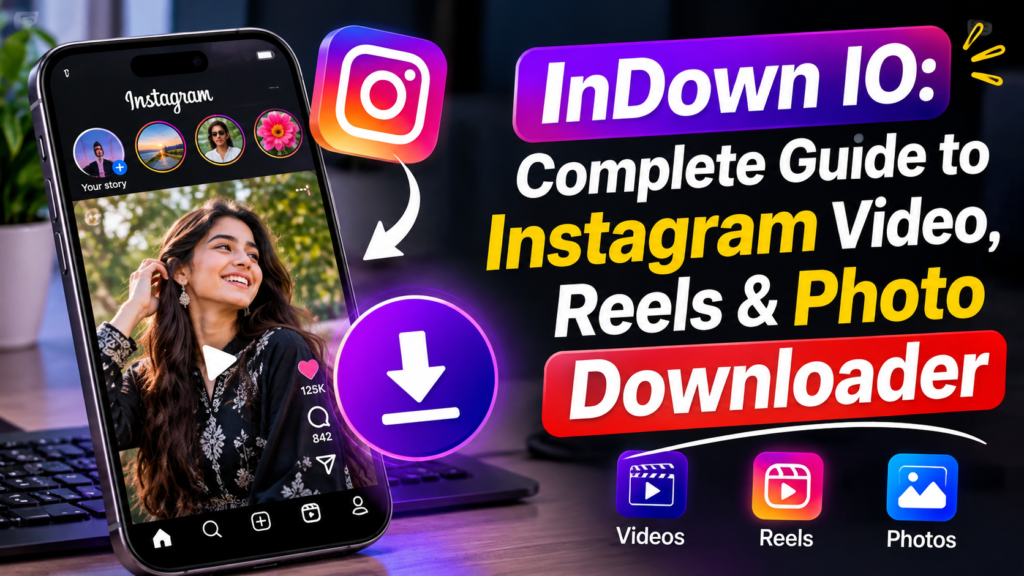
InDown IO is an online tool designed to help users download publicly available Instagram content through a web browser. The service focuses on simplicity because users can generally copy the URL of an Instagram post, paste it into the downloader, and process the link without installing a separate application. Current public descriptions of the service present it as a browser-based Instagram video and photo downloader that does not require an Instagram login or account creation.
For people who want a straightforward way to save public Instagram videos, Reels, photos, and other supported content, InDown IO can be an interesting option. At the same time, users should understand how these services work, what types of content they can access, and what privacy and copyright considerations should be kept in mind.
This complete guide explains InDown IO in simple language, including its main features, how it works, supported content, advantages, limitations, privacy considerations, and useful tips for getting a better experience.
What Is InDown IO
InDown IO is a web-based Instagram downloading service that allows users to process links to publicly available Instagram content. Instead of installing software on a computer or mobile phone, users can access the service through a browser. This makes the process convenient for people who do not want to install another application.
The main purpose of InDown IO is to make Instagram content downloading easier. According to the service’s own About Us page, its goal is to provide a simple way to download Instagram videos and photos without requiring an additional application or Instagram login.
The service is particularly useful for people who come across a public Instagram video or Reel and want to save a copy for offline viewing. The general process is based on the Instagram post URL. Once a supported link is copied and entered into the downloader, the service attempts to process the content and provide a downloadable file.
InDown IO is not an official Instagram product. It is an independent third-party service, which means users should understand that it operates separately from Instagram and Meta. Because of this, people should avoid entering Instagram passwords or other sensitive account information into third-party downloader websites.
How InDown IO Works
The basic idea behind InDown IO is quite simple. Instead of asking users to search through complicated settings or install special software, the service uses the URL of an Instagram post.
A user first opens Instagram and finds a public post, Reel, video, or other supported content. The link to that content can then be copied from Instagram. After opening InDown IO in a browser, the copied URL can be placed into the downloader field.
The website then attempts to recognize the link and retrieve the available media. If the content is publicly accessible and supported by the service, the user may receive an option to download the resulting media file.
This approach is one reason online Instagram downloaders are popular. The user does not need to understand complicated technical processes. Everything happens through a web browser.
The exact behavior can change over time because Instagram regularly changes its website structure, content delivery systems, and access methods. Third-party downloaders may therefore work better with some content than others.
Main Features of InDown IO
One of the main features associated with InDown IO is Instagram video downloading. Videos are among the most popular forms of Instagram content, and many users want to save interesting clips for later viewing.
Another important use is downloading Instagram Reels. Reels are short-form videos that can spread quickly and often contain educational, entertaining, creative, or informational content. A downloader can be useful when someone wants to keep a public Reel for personal offline viewing.
InDown IO is also associated with Instagram photo downloading. This can be useful when someone wants to save a public image without taking a screenshot. Depending on the type of post and current website functionality, the available download options may vary.
The service also supports other Instagram-related downloading functions according to public descriptions and third-party site information. These include content such as Stories, profile pictures, and certain other public Instagram formats.
Another advantage is browser-based access. Users can potentially access the service from a phone, tablet, laptop, or desktop computer without installing a dedicated application.
InDown IO for Instagram Videos
Instagram videos can contain useful information, entertainment, tutorials, interviews, product demonstrations, travel clips, and many other types of content.
Sometimes users want to keep a video because they may not have a reliable internet connection later. In other cases, they may want to save a public video for personal reference.
InDown IO attempts to make this process easier by working with the URL of the Instagram content. The user does not normally need to provide an Instagram username or password to process a public post.
This no-login approach can be useful from a privacy perspective because users should be cautious whenever an unfamiliar website asks for social media account credentials.
However, users should remember that downloading a video does not automatically give them ownership of that video. The original creator may own the copyright or other rights associated with the content.
InDown IO for Instagram Reels
Instagram Reels are one of the biggest reasons people search for Instagram downloader tools. Reels are short, engaging videos that can include music, educational information, comedy, tutorials, travel ideas, fitness content, technology tips, and many other topics.
When a public Reel is supported, InDown IO can provide a convenient way to process the Reel URL. The general workflow is similar to downloading a normal Instagram video.
First, the user opens the desired public Reel on Instagram. The user then copies its link and opens InDown IO. After pasting the link into the appropriate field, the downloader processes the URL.
If the content is available and supported, the user can continue with the download option provided by the service.
The availability of a particular Reel can depend on Instagram’s current systems and the downloader’s ability to access that content. A link that works today may behave differently in the future, so users should not assume that every Instagram Reel will always be downloadable.
InDown IO for Instagram Photos
Photos are another type of Instagram content that users may want to save. A public Instagram post may contain a single image or several images in a carousel.
Taking screenshots is one way to keep an image, but screenshots may reduce quality or include elements from the Instagram interface. A dedicated downloader may provide a cleaner way to save the available media.
InDown IO is designed to process supported Instagram URLs and can be useful for public photos when the service successfully recognizes the post.
Users should always consider the purpose of downloading the image. Saving a photo for personal reference is different from republishing it on another website, using it commercially, or claiming it as original work.
If someone wants to reuse another person’s photograph publicly, they should first consider copyright, permission, attribution, and the creator’s terms.
InDown IO for Instagram Stories
Instagram Stories are temporary posts that normally disappear from Instagram after a limited period. Because of their temporary nature, users may sometimes want to preserve a public Story for personal reference.
Some third-party descriptions of InDown IO identify Instagram Story downloading as one of its supported functions.
However, Story availability can be less predictable than normal public posts because Stories are temporary and can have different privacy settings.
A user should never assume that an online downloader can access every Story. Private content, deleted content, expired content, or content protected by Instagram’s systems may not be available.
Respecting the privacy of Instagram users is especially important when dealing with Stories because they are often shared with a more limited audience.
Can InDown IO Download Private Instagram Content
Users should be careful with claims about downloading private Instagram content.
A private Instagram account restricts its content to approved followers. A normal public downloader should not be treated as a tool for bypassing those privacy settings.
If a website claims that it can easily access private Instagram posts without proper authorization, users should be cautious. Attempting to bypass someone’s privacy controls is not an appropriate use of a downloader.
InDown IO is primarily presented as a tool for publicly available Instagram content. Its own description focuses on public Instagram videos and photos.
The safest approach is to download only content that is publicly available and that you have a legitimate reason to save.
Does InDown IO Require an Instagram Login
One of the useful aspects associated with InDown IO is that it is designed to work without requiring an Instagram login for its basic downloading process.
The service’s own About Us information says users can download supported public Instagram content without signing up or logging in.
This can make the process easier because users do not have to provide their Instagram account details to the downloader.
It is still a good security habit to avoid entering your Instagram password into third-party websites. If a downloader suddenly asks for your social media password, stop and consider whether you really need to use that service.
A downloader that works through public URLs should generally not need your Instagram password for basic public content processing.
Is InDown IO Easy to Use
The simplicity of the process is one of the strongest points of InDown IO.
Many users do not want to install software just to download one video. Browser-based services solve this problem by moving the process online.
The general workflow involves finding the Instagram content, copying its URL, opening InDown IO, pasting the URL, and selecting the available download option.
This makes the service suitable for users who have limited technical knowledge. Someone who knows how to copy and paste a link can usually understand the basic concept quickly.
The interface and available options may change over time, so users should follow the current instructions shown on the website rather than relying on outdated screenshots or tutorials.
InDown IO on Mobile Devices
A major advantage of browser-based tools is that they can be convenient on mobile devices.
Most Instagram activity happens on smartphones, so a downloader that can be opened through a mobile browser can be useful. Users can copy an Instagram link from the Instagram application and then open the downloader in their mobile browser.
The exact steps may differ depending on whether someone is using Android or iPhone. The general idea remains the same: copy the public Instagram URL, open the downloader, paste the link, and process it.
A stable internet connection is helpful when downloading larger videos. Mobile users should also be aware of their available storage because high-quality videos can take more space than expected.
InDown IO on Desktop Computers
InDown IO can also be useful on desktop computers. Users who manage social media content, research online videos, or simply browse Instagram through a computer may prefer downloading through a larger screen.
A desktop browser can make it easier to copy URLs, organize downloaded files, and check the quality of media.
The same basic URL-based process can be used on a desktop device. No special downloader application is necessarily required for the basic web-based workflow.
This can save users from installing unnecessary software, especially when they only need to download an occasional public Instagram video or photo.
Benefits of Using InDown IO
One of the biggest benefits of InDown IO is convenience. Users can access the service through a browser rather than installing dedicated software.
Another advantage is the simple URL-based process. The user does not need to understand complicated downloading commands or technical settings.
The no-login approach is also useful. Public descriptions of the service specifically state that users can download supported public content without creating an account or signing into Instagram.
Another benefit is accessibility across devices. A browser-based service can potentially be used on smartphones, tablets, laptops, and desktop computers.
InDown IO can also be useful when someone wants to save public content for offline personal viewing. Instead of repeatedly searching for the same video, the user can keep a local copy where appropriate.
Limitations of InDown IO
No online downloader is perfect, and InDown IO has limitations.
The first limitation is that Instagram can change its platform at any time. Changes to URLs, media delivery, privacy systems, or technical structures can affect third-party downloaders.
Another limitation is that not every Instagram post will necessarily work. Private content, removed posts, expired Stories, restricted media, or unsupported formats may fail to download.
Internet speed can also affect the experience. A large video may take longer to process and download, especially on a slow connection.
Another consideration is advertising and redirects. Some online downloader services may display advertisements or redirect users to other pages. Users should avoid clicking suspicious advertisements or downloading unknown software that appears through unrelated pop-ups.
A current third-party safety assessment also recommends caution with file-sharing services and emphasizes the general risks associated with downloading files from online services.
Is InDown IO Safe to Use
Safety is an important question whenever users download files from an online service.
InDown IO is currently described publicly as an active website, and third-party checks have reported the site as reachable with HTTPS protection.
However, users should understand that HTTPS does not automatically mean every downloaded file is safe. HTTPS protects the connection between the browser and website, but users still need to be careful about what they download and open.
A good practice is to download only the media file you actually need and avoid installing unknown programs offered through advertisements or redirects.
Users should also avoid providing passwords, banking details, private messages, or other sensitive information to a downloader.
If the website suddenly asks for unusual permissions or software installation, it is better to stop and investigate before continuing.
Privacy and InDown IO
Privacy is another important factor when using third-party tools.
The basic attraction of a URL downloader is that users can often process public content without connecting their Instagram account. InDown IO’s own information promotes downloading without login or sign-up.
Even so, users should avoid assuming that every third-party website provides the same privacy protections as Instagram itself.
Do not enter your Instagram password into a downloader simply because it claims to offer additional features. Public content should generally be handled through public links.
Users should also avoid downloading personal content belonging to other people without permission. Privacy is not only a technical issue. It is also about respecting the person who created or shared the content.
Copyright and Responsible Downloading
Downloading technology and copyright law are two different subjects.
A tool may technically allow someone to save a video, but that does not automatically give the downloader permission to republish or commercially use it.
Instagram content can belong to photographers, creators, businesses, musicians, artists, and other rights holders. Before reposting downloaded content, users should make sure they have the necessary permission.
For official information about Instagram’s platform and its policies, users can visit Instagram.
For personal offline viewing, the situation can be different depending on the content, location, and applicable laws. Because copyright rules vary between countries, users should avoid treating a downloader as a replacement for permission.
The safest approach is simple: download public content for legitimate personal purposes and ask the creator for permission when you want to reuse it publicly or commercially.
Why People Search for InDown IO
People search for InDown IO because they often want a quick way to save Instagram content.
A person may discover an educational Reel and want to watch it later. Another user may find a travel video that they want to keep for inspiration. Someone else may want to save a public photo for personal reference.
The popularity of short-form video has increased the demand for simple downloading tools. Public traffic estimates show that InDown IO receives substantial search and website traffic, although different analytics providers give significantly different estimates because these numbers are modeled rather than official site disclosures.
This level of search interest suggests that Instagram downloading remains a common online activity.
InDown IO and Search Intent
The main search intent behind InDown IO is informational and practical.
Users usually want to know what InDown IO is, whether it works, how to use it, whether it requires an account, what content it supports, and whether it is safe.
A good guide should answer these questions clearly rather than simply repeating the website name. This is especially important for SEO because search engines increasingly focus on helpful content that satisfies the actual purpose behind a search.
For someone searching for InDown IO, useful information includes the basic workflow, supported content types, privacy considerations, limitations, and responsible downloading practices.
How to Get Better Results When Using InDown IO
The quality of the result can depend on the Instagram URL.
Users should copy the original post URL directly from Instagram rather than using a modified or incomplete link.
It is also helpful to make sure that the Instagram content is still publicly available. If the original post has been deleted or made private, a downloader may not be able to retrieve it.
A stable internet connection can also improve the downloading experience. If a video is large, users should make sure their device has enough free storage.
If a download fails, users should not repeatedly click random advertisements or install unknown programs. Instead, they can check whether the Instagram post is public and whether the downloader currently supports that content type.
Common Problems With Instagram Downloaders
One common problem is that a downloader does not recognize a link. This can happen when the link is incorrect, the post is unavailable, or Instagram has changed something on its platform.
Another issue is that the download button may not appear immediately. Some services need time to process the URL before presenting the available media.
Video quality can also vary. The downloaded file may not always have exactly the same quality that users expect from the original Instagram post.
Another problem can occur with Stories and other temporary content. If the content has expired or is no longer publicly accessible, a downloader may not be able to retrieve it.
These problems are not necessarily unique to InDown IO. They are common challenges across third-party social media downloading services because these platforms depend on another website’s content and technical systems.
InDown IO vs Traditional Screen Recording
Some people use screen recording instead of a downloader when they want to save a video.
Screen recording can work in situations where a direct downloader does not, but it can also reduce quality. The recording may include notifications, interface elements, or other parts of the screen.
A downloader can sometimes provide a cleaner media file because it attempts to retrieve the underlying media rather than recording the display.
However, screen recording may still be useful for content that cannot be directly downloaded, provided that doing so is lawful and respectful of the creator’s rights.
The best method depends on the user’s purpose, device, content type, and the rights associated with the material.
Who Can Benefit From InDown IO
InDown IO can be useful for casual Instagram users who want to save public content for personal viewing.
Students may find public educational videos useful for offline study, while creators may want to keep references for future ideas. Travelers can save public travel clips for inspiration, and general users may simply want to watch a favorite public video later.
However, creators should be particularly careful about copyright. Saving another person’s content for research or inspiration is different from uploading that content to a new account and presenting it as original work.
The tool is most useful when users understand both its technical purpose and their responsibilities toward other people’s content.
Final Thoughts on InDown IO
InDown IO is a browser-based service focused on downloading publicly available Instagram content. Its main appeal is simplicity. Users can generally work with an Instagram URL instead of installing a separate application or providing an Instagram login.
The service is associated with downloading Instagram videos, Reels, photos, Stories, and other supported public content.
For users who want a straightforward way to save public Instagram media, InDown IO can be a convenient option. Its browser-based design makes it accessible across different devices, while the no-login approach can reduce the need to share account credentials with a third-party service.
At the same time, users should understand that no downloader can guarantee access to every Instagram post. Private content, deleted posts, expired Stories, restricted media, and platform changes can affect availability.
Security should also remain a priority. Users should avoid entering passwords or sensitive information into third-party downloader websites and should be careful with advertisements, redirects, and unexpected download prompts.
Most importantly, downloading content should be done responsibly. A public Instagram video or photo may still belong to its original creator. Saving something for personal reference is not the same as republishing it, selling it, or claiming it as your own.
Overall, InDown IO can be a useful option for people who need a simple browser-based way to process public Instagram links. When used carefully and responsibly, it can make saving supported Instagram content more convenient without requiring complicated software or technical knowledge.
Read More About : dezgo