

In this story
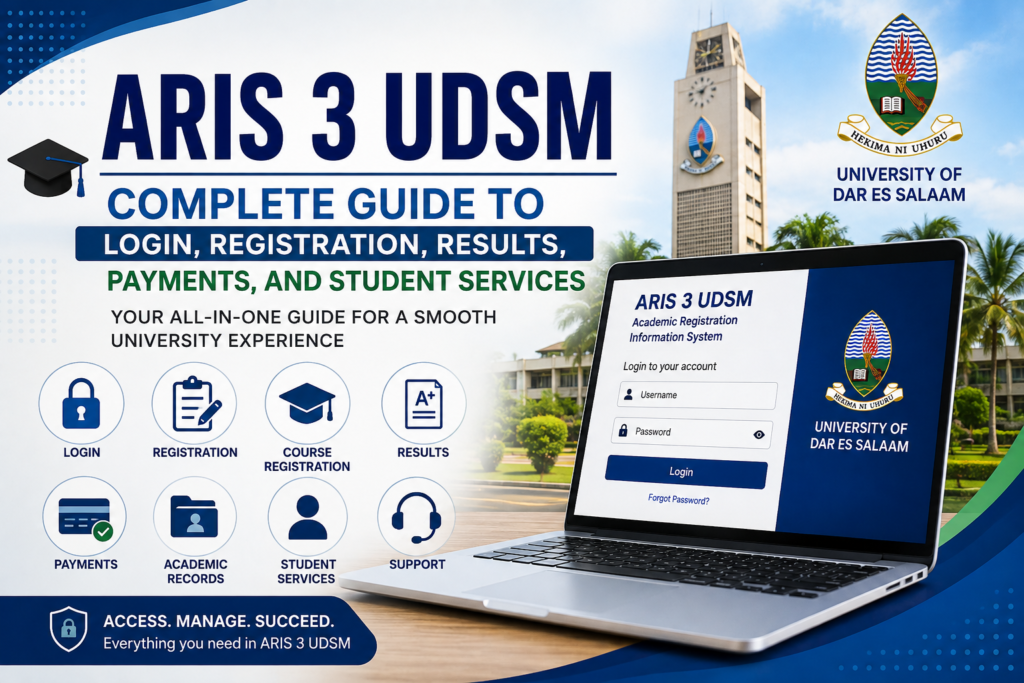
ARIS 3 UDSM is an important digital platform used by students of the University of Dar es Salaam to manage different academic and administrative activities. Students can use ARIS 3 UDSM to access academic information, registration services, examination results, payment-related information, academic records, and other university services. For new students, understanding the ARIS 3 UDSM login process and the available features can make university procedures easier to manage.
The University of Dar es Salaam has developed several online systems to support students and staff in handling university activities. Among these systems, ARIS 3 UDSM plays an important role in academic registration and student information management. Whether a student is joining UDSM for the first time or is already continuing with their studies, knowing how the ARIS system works can help them complete important academic tasks more efficiently.
This complete ARIS 3 UDSM guide explains the purpose of the system, login process, account creation, course registration, examination results, payments, academic records, registration status, common login problems, password recovery, and other important student services. The guide is designed to provide students with simple and practical information about using the platform.
What Is ARIS 3 UDSM?
ARIS 3 UDSM is the third-generation Academic Registration Information System associated with the University of Dar es Salaam. The platform is designed to support academic registration, academic records, results, payments, and other student-related services. It provides students with an online environment where they can access information and complete various university processes.
Instead of depending completely on physical offices for routine academic activities, students can use ARIS 3 UDSM to manage many services through their online accounts. The services available to a particular student can depend on their programme, academic status, year of study, and the current configuration of the university system.
The ARIS 3 UDSM platform is particularly important during registration periods. Students may need to use the system to review their academic information, register courses, check registration status, view results, and manage payment-related information. The platform can therefore become an important part of a student’s academic journey at UDSM.
Why Is ARIS 3 UDSM Important for Students?
The importance of ARIS 3 UDSM comes from the number of academic and administrative activities that can be managed through the platform. University students regularly need to access information about their courses, academic progress, results, registration, and payments. Having these services available through an online system can make the process more convenient.
For a new student, ARIS 3 UDSM can provide an important connection between the student and university administration. After receiving admission and completing the required initial procedures, students may need to activate or use their ARIS account for registration and other university activities.
Continuing students can also rely on ARIS 3 UDSM during different stages of the academic year. Course registration, academic results, payment information, and other student services may be accessed through the system depending on the student’s account and the services currently provided by UDSM.
ARIS 3 UDSM Login Guide
The ARIS 3 UDSM login process is one of the most common topics students search for when they need to access their university account. Students should always use an official University of Dar es Salaam website or the current UDSM Access Portal when attempting to access ARIS.
UDSM provides an Access Portal that acts as a gateway to several university systems. ARIS3 is included among the systems available through the official UDSM portal. Using an official access point is important because students may otherwise encounter outdated links or websites that are not connected to the University.
To begin the ARIS 3 UDSM login process, open the official UDSM access route and select the ARIS3 option where it is provided. The login page will request the credentials associated with the student’s account. Enter the required username, registration information, password, or other credentials requested by the current system.
After entering the correct information, submit the login form and wait for the student dashboard to load. Once the account has been opened successfully, students should review the available menus and services. The appearance of the dashboard can change when UDSM updates the system, so students should focus on the service names displayed on their current account rather than relying on old screenshots.
ARIS 3 UDSM Account Creation for New Students
New students may need to create or activate an account before they can use ARIS 3 UDSM services. The account creation procedure can depend on the latest UDSM instructions and the student’s admission status.
Official UDSM joining instructions have previously described a process where students access ARIS, select the sign-up option, choose the appropriate student account type, provide their registration number, create a password, accept the applicable terms, and complete account registration.
Students should carefully enter their registration information because incorrect information can prevent the system from recognizing the account. If the registration number is not accepted, students should avoid creating multiple accounts and instead check their official admission or joining documents.
After completing account creation, the student can return to the ARIS 3 UDSM login page and use the newly created credentials. Keeping these credentials secure is important because the account can contain private academic and administrative information.
Read more about:rndcoin kr
ARIS 3 UDSM Course Registration
Course registration is one of the most important academic activities associated with ARIS 3 UDSM. Students may need to register for courses according to their programme requirements, academic year, semester, and current university instructions.
After signing into ARIS 3 UDSM, students can look for the registration section available on their dashboard. The system may display registration options related to the student’s programme and academic level. Students should carefully review the academic year and semester before selecting courses.
Course registration should be completed according to the requirements of the student’s programme. Required courses and elective courses may appear differently depending on the programme. Students should therefore avoid selecting courses simply because they appear available and should confirm their selections against official programme information.
After selecting the appropriate courses, students should carefully review the information before submitting or confirming the registration. Checking course codes, course titles, semester information, and registration status can help reduce mistakes.
ARIS 3 UDSM Results and Academic Performance
Another major reason students use ARIS 3 UDSM is to access examination results and academic information. The system supports results and academic records, allowing students to review information related to their academic progress.
After logging into ARIS 3 UDSM, students may find an academic results or examination results section in their dashboard. Depending on the current system design, students may need to select an academic year or semester before viewing the relevant results.
Students should understand that online results depend on the university’s official publication and processing procedures. If a particular result is not immediately visible, it does not necessarily mean that the student’s record has been lost or that there is a serious problem.
When results are missing or appear incorrect, students should contact the relevant academic department or university office. It is better to use official channels for academic-result problems instead of relying on unofficial websites or individuals who claim they can modify university records.
ARIS 3 UDSM Payments
Payments are another important part of student administration. Official UDSM instructions have directed students to use ARIS for certain registration and payment-related processes.
Through ARIS 3 UDSM, students may be able to view payment information and follow the university’s instructions for completing required payments. The exact payment process can change depending on the academic year and current UDSM procedures.
Before making any university payment, students should carefully confirm the information displayed in their account. The student name, registration number, payment description, amount, academic year, and payment reference should be checked before completing the transaction.
Students should also avoid sending money to individuals who claim to represent UDSM without official verification. University payment information should come from official UDSM channels. If there is uncertainty about a payment requirement, students should contact the relevant university office.
ARIS 3 UDSM Registration Status
Registration is not always limited to logging into ARIS 3 UDSM. Depending on the student’s situation, registration can involve several university requirements.
A student may need to complete payment-related requirements, academic registration, certificate verification, medical requirements, or other procedures specified by UDSM. The exact requirements can differ between students and academic programmes.
After completing the required procedures, students should check their registration status in ARIS 3 UDSM when the relevant option is available. If the system shows an incomplete status, students should carefully read the information provided and identify which requirement remains outstanding.
Students should not assume that every registration requirement has been completed simply because they can access their ARIS account. The account provides access to the system, while registration status depends on the requirements established by the University.
ARIS 3 UDSM Academic Records
Academic records are another important function associated with ARIS 3 UDSM. Students may need academic information for different purposes during their university studies.
Academic records can be useful when students want to review their progress, confirm results, prepare for graduation, request transcripts, or complete other academic procedures.
The University of Dar es Salaam also provides information about transcript-related services. Students who need an official academic transcript should follow the current UDSM transcript request procedure rather than assuming that an online results page is itself an official transcript.
Keeping academic information accurate is important throughout the student’s time at university. If a student notices incorrect personal or academic information in ARIS 3 UDSM, they should contact the appropriate university office for assistance.
ARIS 3 UDSM Graduation Services
Students approaching graduation may need to review their academic information carefully. ARIS 3 UDSM can be relevant to the academic administration surrounding graduation, although students must follow the University’s official graduation requirements and procedures.
Before graduation, students should make sure their academic records are complete and that required courses have been successfully completed. They may also need to confirm their registration history, results, payments, and other university requirements.
Graduation eligibility should always be confirmed through official UDSM procedures. Students should not rely only on information displayed by third-party websites because graduation rules and deadlines can change.
ARIS 3 UDSM Accommodation Services
Accommodation can also be part of the broader student services associated with UDSM digital systems. Depending on the student’s account and the current university procedures, accommodation-related options may be available through the system.
Students should check the current accommodation instructions issued by UDSM because availability, application periods, eligibility, and procedures can change from one academic year to another.
If an accommodation option is not visible inside ARIS 3 UDSM, students should not automatically assume that their account is damaged. The service may not currently be available to that particular student or the University may be using a separate process.
What to Do When ARIS 3 UDSM Is Not Opening
Students may occasionally experience difficulty opening ARIS 3 UDSM. A portal problem can have several possible causes, including an unstable internet connection, an outdated browser, incorrect website information, temporary maintenance, or technical problems affecting the university system.
The first step is to check the internet connection and make sure other websites are working correctly. Students should then confirm that they are using an official UDSM access route.
Trying an updated web browser can also help. If the page continues to behave incorrectly, clearing the browser cache and opening the system again may resolve temporary browser-related problems.
If the problem continues, students should check official UDSM notices for maintenance announcements or system updates. When a technical problem affects the university system itself, repeatedly changing passwords or creating new accounts is unlikely to solve the problem.
For persistent technical issues, students should contact the appropriate UDSM ICT support service.
ARIS 3 UDSM Forgot Password
Forgetting a password can prevent students from accessing their ARIS 3 UDSM accounts. If the official login page provides a password recovery option, students should use that option rather than giving their password to another person.
The recovery process normally requires the student to provide information that verifies their account. After completing the official verification process, the student may be able to create a new password.
Students should create a password that is difficult for other people to guess and should avoid sharing it with friends or unofficial account-recovery services.
If the official password recovery process does not work, contacting UDSM ICT support is the safest option. Students should never provide their account password to someone who claims they can unlock the account privately.
Common ARIS 3 UDSM Login Problems
There are several common reasons why an ARIS 3 UDSM login may not work. Incorrect credentials are one of the most common causes. Students should carefully check their username, registration number, password, capitalization, and spacing before trying again.
A temporary server issue can also prevent students from accessing the platform. In this situation, the problem may resolve after the system becomes available again.
An outdated browser or cached browser information can sometimes create loading problems. Updating the browser, clearing cache, or trying another browser can help determine whether the issue is related to the device.
If an account cannot be found, students should verify their registration information against official university documents. If the information is correct but the account still cannot be accessed, the student should contact UDSM for assistance.
Is ARIS 3 UDSM the Same as the UDSM Admission Portal?
ARIS 3 UDSM and the UDSM admission system are different systems.
The UDSM admission system is designed for admission applications and related admission procedures. ARIS 3 is primarily associated with academic registration, academic records, results, payments, and student services.
This difference is important because students searching for admission information may accidentally use the wrong portal. Applicants should use the official UDSM admission system for application-related activities, while enrolled students can use ARIS for the services provided through their student account.
Understanding the difference between the two systems can save time and prevent confusion when students need to complete an important university procedure.
ARIS 3 UDSM for New Students
For new students, ARIS 3 UDSM can initially appear complicated because they may be learning several university systems at the same time. The best approach is to follow the latest official UDSM joining instructions and complete each requirement carefully.
New students should keep their admission documents, registration information, and other official university information available when setting up their ARIS account.
The student’s registration number is particularly important because it can be used to identify the student’s university record. Students should keep this information private and avoid posting sensitive account information publicly.
New students should also pay attention to registration deadlines. Missing an important university deadline can create unnecessary administrative problems.
ARIS 3 UDSM for Continuing Students
Continuing students can use ARIS 3 UDSM throughout their academic journey for different student-related activities. The services available can depend on the student’s current academic status and the university’s active systems.
Course registration is particularly important for continuing students because registration periods can have specific deadlines. Students should check their programme requirements and complete registration according to the University’s instructions.
Continuing students may also use ARIS to review examination results, academic records, payment information, and other available services.
Checking the account regularly during important academic periods can help students identify problems earlier instead of waiting until a deadline is close.
How to Use ARIS 3 UDSM Safely
Students should take account security seriously because ARIS 3 UDSM can contain personal academic and administrative information. The safest approach is to use only official UDSM websites and access routes.
Students should never enter their ARIS password into an unfamiliar website simply because the page looks similar to the university portal. Fake login pages can be designed to collect usernames and passwords.
Students should also avoid sharing their login credentials with friends or people offering unofficial technical assistance. University accounts should remain under the control of the actual student.
When using a shared computer, students should log out after completing their work. They should also avoid saving their passwords in browsers on public or shared devices.
ARIS 3 UDSM and the UDSM Access Portal
The University of Dar es Salaam provides an official Access Portal that acts as a centralized gateway to several university systems. The portal lists ARIS3 among the systems available to authorized users.
This centralized approach can make it easier for students to locate the correct university services. Instead of relying on random search results, students can start from the official UDSM portal and select the required service.
The Access Portal also supports access to other university systems, meaning students may encounter several different services in the same environment. This makes it particularly useful for students who need to move between academic and administrative platforms.
ARIS 3 UDSM on Mobile Devices
Many students access university services using smartphones and tablets. The current UDSM Access Portal is designed to provide mobile-friendly access to university systems.
Students using ARIS 3 UDSM on a mobile device should use an updated browser and maintain a stable internet connection. If a page does not display correctly, switching between portrait and landscape mode or using another browser can sometimes help.
For important activities such as course registration or payment, students should carefully review all information before confirming an action. A larger screen may be more convenient when reviewing detailed academic information.
ARIS 3 UDSM and Student Support
Technical problems should not prevent students from seeking official assistance. UDSM provides ICT-related support for university systems, including issues connected with student digital services.
When contacting support, students should clearly explain the problem. Providing useful information such as the type of error, the system being accessed, and the approximate time the problem occurred can make troubleshooting easier.
Students should avoid sending passwords in support requests. A legitimate support representative should not require a student to publicly disclose their password.
Frequently Asked Questions About ARIS 3 UDSM
What is ARIS 3 UDSM?
ARIS 3 UDSM is the University of Dar es Salaam’s Academic Registration Information System platform. It supports academic registration, academic records, results, payments, and other student-related services.
How can I access ARIS 3 UDSM?
Students should access ARIS through an official UDSM website or the current UDSM Access Portal. The official portal provides ARIS3 among the university systems available to authorized users.
Can I check my results on ARIS 3 UDSM?
Yes, ARIS 3 supports academic results and academic records. The exact result-viewing options depend on the student’s account and the current university system.
Can I register courses through ARIS 3 UDSM?
Course registration is one of the important academic activities associated with ARIS. Students should register according to their programme requirements and current UDSM instructions.
Can students make payments through ARIS 3 UDSM?
UDSM has provided official instructions directing students to use ARIS for certain online registration and payment procedures. Students should always follow the latest university payment instructions.
What should I do if my ARIS 3 UDSM account does not work?
Students should first check their internet connection, official website address, login credentials, and browser. If the problem continues, they should contact the appropriate UDSM ICT support service.
What if I forget my ARIS 3 UDSM password?
Use the official password recovery process available on the login page. If the recovery process does not work, contact UDSM support instead of giving your password to an unofficial person.
Is ARIS 3 UDSM the same as the admission portal?
No. The UDSM admission system is used for admission applications, while ARIS 3 is used for academic registration, records, results, payments, and related student services.
Final Thoughts About ARIS 3 UDSM
ARIS 3 UDSM is an important digital platform for University of Dar es Salaam students. It brings together several academic and administrative functions and can help students manage university activities more conveniently.
Understanding the ARIS 3 UDSM login process is only the beginning. Students should also know how course registration, results, academic records, payments, registration status, and other services work within the system.
The most important practice is to use official UDSM information whenever dealing with registration, academic records, payments, passwords, or examination results. University systems can be updated, so instructions found on older websites may not always match the current interface.
For new students, following official joining instructions can make the account setup and registration process easier. Continuing students should regularly check their ARIS account during registration and examination periods so that they can identify any problems early.
By understanding how ARIS 3 UDSM works and using the official university access routes, students can manage their academic information more confidently and reduce common problems related to registration, results, payments, and account access.