

In this story
If you have ever received a phone call on your iPhone and noticed the words No Caller ID instead of a phone number or contact name, you may have wondered who is calling and why their number is hidden. This message can be confusing, especially when you are waiting for an important call or receiving repeated calls from an unknown person.
The question what does No Caller ID mean on iPhone is becoming more common because modern phones provide several different labels for calls that cannot be identified. You may see No Caller ID, Private Number, Unknown Caller, Restricted, or even Spam depending on the situation and your carrier. Although these labels can look similar, they do not always mean exactly the same thing.
In most cases, No Caller ID means that the person or organization making the call has hidden their phone number from the person receiving the call. The number may still exist, but it is not displayed on your iPhone. This can happen because the caller has disabled Caller ID, because their phone service hides the number, or because their organization uses a private calling system.
A No Caller ID call is not automatically dangerous. Doctors, hospitals, businesses, government offices, customer support departments, and private individuals may sometimes hide their phone numbers for privacy reasons. At the same time, scammers and telemarketers can also use hidden caller ID to make it more difficult for people to identify or report them.
Understanding the meaning of No Caller ID can help you decide whether to answer the call, ignore it, send it to voicemail, or use the iPhone’s built-in call management features.
What Does No Caller ID Mean on iPhone?
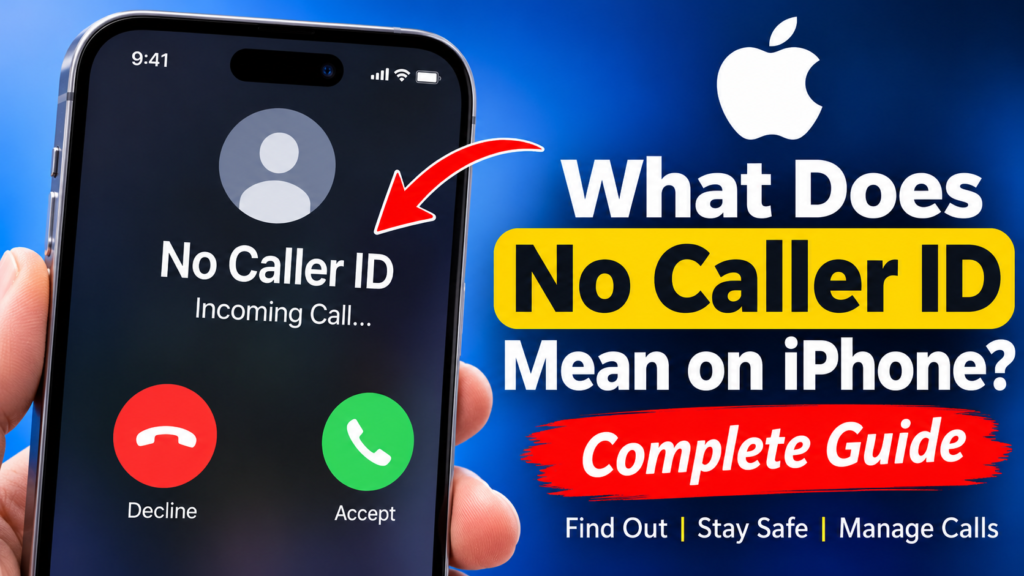
So, what does No Caller ID mean on iPhone in simple words? It means your iPhone is receiving a call where the caller’s phone number is not being shown to you.
Normally, when someone calls your iPhone, the phone receives caller identification information. If the number belongs to someone in your Contacts, you may see their saved name. If the number is not saved, your iPhone may still display the phone number.
When a caller hides their number, your iPhone cannot display that number in the normal way. Instead, the screen may show No Caller ID or a similar message.
This does not necessarily mean that the caller has no phone number. In many cases, the caller has a number but has chosen not to make it visible to the person receiving the call.
The difference is important because many people assume that No Caller ID means the call is automatically a scam. That is not correct. The hidden number only tells you that the caller identification information is unavailable or intentionally withheld.
Why Does My iPhone Show No Caller ID?
There are several reasons why an incoming call can appear as No Caller ID on an iPhone.
The most common reason is that the caller has intentionally hidden their number. Some phone services allow users to disable Caller ID for outgoing calls. When they call another person, the recipient does not see their regular phone number.
A caller may also have a permanent privacy setting enabled through their mobile carrier. In this situation, their number can remain hidden for many calls until they change the setting.
Businesses and organizations can also use phone systems that do not display a direct phone number. For example, a large organization may use a centralized telephone system where outgoing calls are configured to protect employee numbers.
There can also be situations where the carrier or telephone network does not provide usable caller information to your device. This can happen with certain types of phone systems, international calls, internet-based calling services, or network configurations.
Therefore, understanding what does No Caller ID mean on iPhone requires looking at the overall situation instead of assuming that every hidden call comes from the same source.
Is No Caller ID the Same as Unknown Caller?
No Caller ID and Unknown Caller are related, but they are not necessarily the same.
A No Caller ID call generally means that the phone number is being withheld or is not being presented to you. The caller may have deliberately blocked their Caller ID.
An Unknown Caller can be a broader category. Your iPhone may recognize that a call is coming from a number but may not know who the person is. If the number is not saved in your Contacts and cannot be identified by available caller identification services, the call may be treated as unknown.
This distinction is useful because a visible unknown number can sometimes be searched or identified through legitimate caller identification services. A genuinely hidden No Caller ID call is different because there may be no visible number for your iPhone or an ordinary caller ID application to search.
Apple explains that iPhone can use information from Contacts, supported carriers, Apple Business Connect, and supported caller identification apps to identify certain incoming calls. Apple Support
What Is the Difference Between No Caller ID and Private Number?
No Caller ID and Private Number often describe a very similar situation. Both can indicate that the caller’s number is not being displayed.
The exact wording can depend on the phone, carrier, and network. One person may see No Caller ID while another person receiving a similar call may see Private Number, Restricted, or another related label.
The important thing is not necessarily the exact wording but the fact that the caller’s phone number is unavailable to you.
If someone deliberately hides their number, your iPhone cannot simply display it because the number has been withheld from the caller identification information presented to the receiving device.
Does No Caller ID Mean Someone Blocked Me?
No. Seeing No Caller ID does not mean that someone blocked you.
Blocking and hiding Caller ID are two different things.
When a person blocks your number, their phone normally prevents your calls or messages from reaching them in the normal way. The exact behavior can depend on the device and service.
When someone hides their Caller ID, they are simply preventing their phone number from being displayed to the person they call.
Therefore, if you receive a call showing No Caller ID, you should not automatically assume that the caller has blocked you.
Can No Caller ID Be a Scam?
Yes, a scammer can use No Caller ID, but No Caller ID itself does not prove that a call is a scam.
Scammers often prefer hidden or difficult-to-identify numbers because it can make their calls harder to trace, identify, or block. However, legitimate callers can also hide their numbers.
For example, a healthcare provider may not want employees to expose personal mobile numbers to patients. A business may use a centralized telephone system that does not display a direct employee number. Some organizations may also use privacy-focused calling systems.
The safest approach is to judge the call based on what the caller says and what they ask you to do.
If a hidden caller asks for passwords, banking information, verification codes, credit card details, or other sensitive information, you should be extremely careful. You should not provide confidential information simply because the caller claims to represent a bank, company, government agency, or another trusted organization.
Instead, you can independently find the official contact information for that organization and contact it yourself.
Should You Answer a No Caller ID Call?
Whether you should answer depends on your circumstances.
If you are expecting an important call from a doctor, hospital, company, delivery service, school, government office, or another organization that might hide its number, answering could be reasonable.
If you are not expecting a call and repeatedly receive anonymous calls, you may prefer to let them go to voicemail.
One advantage of voicemail is that legitimate callers can explain why they are calling. A genuine caller who needs to contact you will often leave a message or provide another way to reach them.
You should also avoid making decisions based only on pressure. If someone calls from No Caller ID and says you must immediately send money, share a security code, click a link, or provide personal information, pause and verify the request through an independent channel.
Can You Find Out Who Called From No Caller ID?
One of the most common questions after receiving a hidden call is whether the caller can be identified.
In most ordinary situations, your iPhone cannot simply reveal a genuinely hidden phone number.
The reason is straightforward. If the number is not presented to the receiving device, there is no normal number available for your iPhone to display or search.
Caller identification apps can be useful for identifying visible numbers, but they generally cannot magically reconstruct a number that was intentionally withheld.
You should also be cautious about websites or applications that promise to reveal every No Caller ID number instantly. Some services may make claims that are not technically realistic, and you should never give an unknown service unnecessary access to your personal information.
If the calls are threatening, harassing, fraudulent, or otherwise serious, your mobile carrier may have options for dealing with anonymous calls. In serious situations, it can also be appropriate to contact the relevant authorities.
How to Stop No Caller ID Calls on iPhone
If you frequently receive unwanted calls from unknown or hidden callers, iPhone provides several useful call management features.
Current iPhone software includes tools for screening and silencing calls from numbers that are not recognized. Apple also provides options for identifying calls through supported carriers and caller identification apps. Apple Support
Depending on your iOS version, you can open Settings, go to Apps, select Phone, and look for the available options under call screening and unknown callers.
Apple’s current iPhone call controls can allow unknown calls to be screened or silenced. With screening, the caller can be asked for information before your iPhone rings. With silencing, calls from unknown numbers can be sent to voicemail instead of interrupting you. Apple Support
These features can be especially useful if you do not want every anonymous or unfamiliar call to interrupt your day.
You can learn more about Apple’s official Caller ID settings through Apple Support: How to Block My Caller ID on iPhone.
Does Silence Unknown Callers Block No Caller ID?
The answer depends on how the call is classified by your iPhone and carrier.
The purpose of Apple’s unknown caller controls is to reduce interruptions from callers that your iPhone does not recognize. Calls that are silenced can be sent to voicemail and still appear in appropriate call records.
This is different from manually blocking a specific telephone number.
A visible phone number can usually be blocked individually because your iPhone knows which number it belongs to. A No Caller ID call does not provide you with the same visible number, so you cannot simply select that hidden number and add it to your blocked contacts in the same way.
This is why call screening and silence features can be more useful for repeated anonymous calls.
Can You Block No Caller ID Calls Permanently?
iPhone does not treat a hidden caller in exactly the same way as a normal visible phone number.
When a caller displays a number, you can usually block that specific number. With No Caller ID, there is no visible number to select and block individually.
Instead, iPhone’s unknown caller management features can help reduce interruptions from calls that are not recognized. Your mobile carrier may also offer additional anonymous-call handling features depending on your plan and region.
If you receive frequent unwanted anonymous calls, it can be useful to contact your carrier and ask what options are available for blocked or anonymous Caller ID calls.
How to Hide Your Caller ID on iPhone
The same technology that allows someone to hide their number from you can also be used by iPhone users who want to hide their own Caller ID.
On supported iPhones and carriers, Apple provides a Show My Caller ID option. Apple says that you can go to Settings, then Apps, then Phone, and select Show My Caller ID. Turning the feature off prevents your phone number from being shown when you make outgoing calls. Apple Support
However, this option may not be available with every carrier or region. Apple notes that if the option is missing or unavailable, you may need to contact your mobile carrier.
This explains one common reason why someone might call you and your iPhone displays No Caller ID.
Why Would Someone Hide Their Phone Number?
There are many possible reasons.
Privacy is one of the biggest reasons. Some people do not want the person they are calling to save their personal number or call them back later.
Professionals may also have privacy concerns. A worker might need to contact customers or clients without revealing their personal mobile number.
Organizations can use centralized calling systems that hide individual numbers. Hospitals, clinics, companies, government offices, and other institutions may have specific communication systems that affect how Caller ID appears.
Some people simply prefer not to share their number with people they are contacting.
Unfortunately, privacy features can also be abused. Telemarketers and scammers may hide their identity to make it harder for recipients to determine where a call came from.
That is why the best approach is to treat No Caller ID as a piece of information rather than proof that the caller is either trustworthy or dangerous.
Is No Caller ID Dangerous?
No Caller ID is not dangerous by itself.
The danger comes from what the caller is trying to do.
A hidden caller who simply asks whether you are available is very different from someone who demands immediate payment or asks for a verification code.
You should pay particular attention to pressure tactics. Scammers often try to create fear or urgency. They may claim that your account has been compromised, that you owe money, that your bank account will be closed, or that you must provide information immediately.
A legitimate organization should not require you to ignore normal security procedures simply because the call is urgent.
If you are unsure, end the call and contact the organization using an official phone number that you find independently.
What Should You Do If No Caller ID Keeps Calling?
Repeated anonymous calls can be annoying and stressful.
If the calls are not important, you can use iPhone’s call screening or silence features to reduce interruptions. You can also allow calls to go to voicemail.
If the caller leaves messages, listen carefully for useful information without immediately trusting the claims made in the message.
Keep records if the calls become persistent or threatening. Note the dates and times, save relevant voicemails, and keep screenshots when appropriate.
If the behavior becomes harassment or includes threats, contact your carrier or the appropriate authorities. Your carrier may have additional tools for handling unwanted anonymous calls.
Can a Caller Hide Their Number for Only One Call?
Yes, Caller ID can sometimes be hidden for individual calls.
The exact method depends on the caller’s country, carrier, phone system, and service. Some carriers support special dialing methods that allow callers to hide their number for a particular call.
Other people may have Caller ID blocking enabled for all outgoing calls.
This means that a person who normally appears with a visible number might occasionally call you with No Caller ID.
Therefore, one anonymous call does not automatically indicate that something unusual or suspicious is happening.
What Does No Caller ID Mean on iPhone for Business Calls?
Business calls can sometimes appear as No Caller ID for legitimate reasons.
Large companies often use telephone systems where employees call customers through a central number or private system. Some healthcare organizations and professional services may also use systems designed to protect employees’ direct contact information.
If you are waiting for a business call, you should consider this possibility before automatically rejecting the call.
At the same time, you should never trust a caller simply because they claim to represent a famous company.
If someone claims to be from your bank, for example, you can end the call and contact the bank through the official number printed on your card or published through its official website.
What Does No Caller ID Mean on iPhone for International Calls?
International calls can sometimes have different Caller ID behavior because multiple telephone networks may be involved.
Depending on the carrier and calling system, caller information may not always arrive in the same way as it does for a normal domestic call.
This can lead to labels such as Unknown, Unavailable, or other variations rather than a normal phone number.
If you regularly receive legitimate international calls, it is useful to understand that unusual Caller ID information does not automatically mean the call is fraudulent.
However, unexpected international calls should still be handled carefully, particularly when the caller requests personal information or money.
Can Caller ID Apps Reveal No Caller ID?
Caller identification applications can be useful, but their abilities have limits.
If a normal phone number appears on your iPhone, an identification service may be able to match it against available databases and provide information about the caller.
A genuinely hidden number is different. If your phone does not receive a usable number, an ordinary caller ID app does not have the original number to search.
This is why you should be skeptical of services that promise that any No Caller ID call can be instantly revealed.
Some services may provide carrier-level or specialized services in certain circumstances, but those are different from ordinary caller identification applications.
Why Does No Caller ID Sometimes Appear Even When the Caller Is Legitimate?
People often associate anonymous calls with scams, but there are many legitimate reasons for a hidden number.
A doctor may call from a protected phone system. A company employee may use a private business line. A government worker may have restrictions on displaying a personal number. A person may simply value privacy.
The important lesson is that No Caller ID does not tell you who the caller is or whether the caller is good or bad.
It only tells you that the caller identification information is not being displayed to you.
You should make your decision based on the circumstances of the call, the caller’s behavior, and whether they provide information that you can independently verify.
How to Stay Safe From No Caller ID Scams
The safest approach is to avoid sharing sensitive information with unexpected callers.
Never provide passwords, banking PINs, one-time verification codes, or other security information simply because someone claims to be calling from a trusted organization.
If a caller says there is an urgent problem with your bank account, online account, delivery, government service, or another important service, verify the claim independently.
Do not click links sent during an unexpected call or message unless you know where they lead.
You should also avoid sending money because of an unexpected phone call. If someone demands immediate payment and tries to prevent you from verifying the situation, that is a major warning sign.
Using voicemail and iPhone’s call screening features can give you extra time to evaluate unfamiliar calls instead of feeling pressured to answer immediately.
No Caller ID vs Spam Calls
No Caller ID and spam are not the same thing.
No Caller ID describes the availability of Caller ID information. Spam describes an unwanted or suspicious communication.
A spam call can display a normal phone number. A legitimate call can appear as No Caller ID. A hidden call can also be spam.
Therefore, you should not use the label alone to determine whether a call is fraudulent.
Modern iPhone features can use carrier information and supported call identification systems to help identify suspected spam. Apple’s call filtering features can also help separate certain unwanted calls from normal calls. Apple Support
What Happens If You Do Not Answer a No Caller ID Call?
If you do not answer a No Caller ID call, the caller may be sent to voicemail depending on your settings and carrier.
If the caller is legitimate and needs to reach you, they may leave a voicemail explaining who they are and why they called.
If no voicemail is left and the caller repeatedly calls without providing any information, you can decide whether you want to continue ignoring the calls or use additional call filtering features.
Not answering an unexpected anonymous call is generally safer than giving personal information to someone whose identity you cannot verify.
Can You Call Back a No Caller ID Call?
Normally, you cannot simply call back a hidden number because the actual number is not displayed to you.
This is another important difference between a normal unknown number and a genuine No Caller ID call.
If a visible number appears, you may be able to return the call. If the caller’s number is hidden, you do not have the number needed for a normal callback.
If the caller leaves a voicemail containing an official callback number, verify that number independently before calling if the message involves money, account access, or sensitive information.
Final Thoughts on What Does No Caller ID Mean on iPhone
Understanding what does No Caller ID mean on iPhone is much easier once you know how Caller ID works.
In simple terms, No Caller ID usually means that the incoming caller’s phone number is hidden or unavailable to your iPhone. The caller may have intentionally disabled Caller ID, their carrier or organization may use a private calling system, or the network may not provide usable identification information.
A No Caller ID call is not automatically a scam. Legitimate people and organizations may use hidden numbers for privacy and security reasons. However, scammers can also use anonymous calls, so you should always pay attention to the caller’s behavior.
If an unexpected caller asks for sensitive information, money, passwords, or security codes, do not provide them simply because the caller sounds convincing. Verify the situation independently through an official communication channel.
Your iPhone also provides useful tools for managing unknown calls. Depending on your iOS version and carrier, you can use call screening, silence unknown callers, call identification, spam filtering, voicemail, and blocking features to reduce unwanted interruptions.
The most important thing to remember is that No Caller ID tells you that the caller’s identification is hidden, not that the caller is automatically dangerous or trustworthy. By combining iPhone’s built-in privacy and call management features with sensible security habits, you can handle anonymous calls more safely and confidently.
Read More About : grannyspace